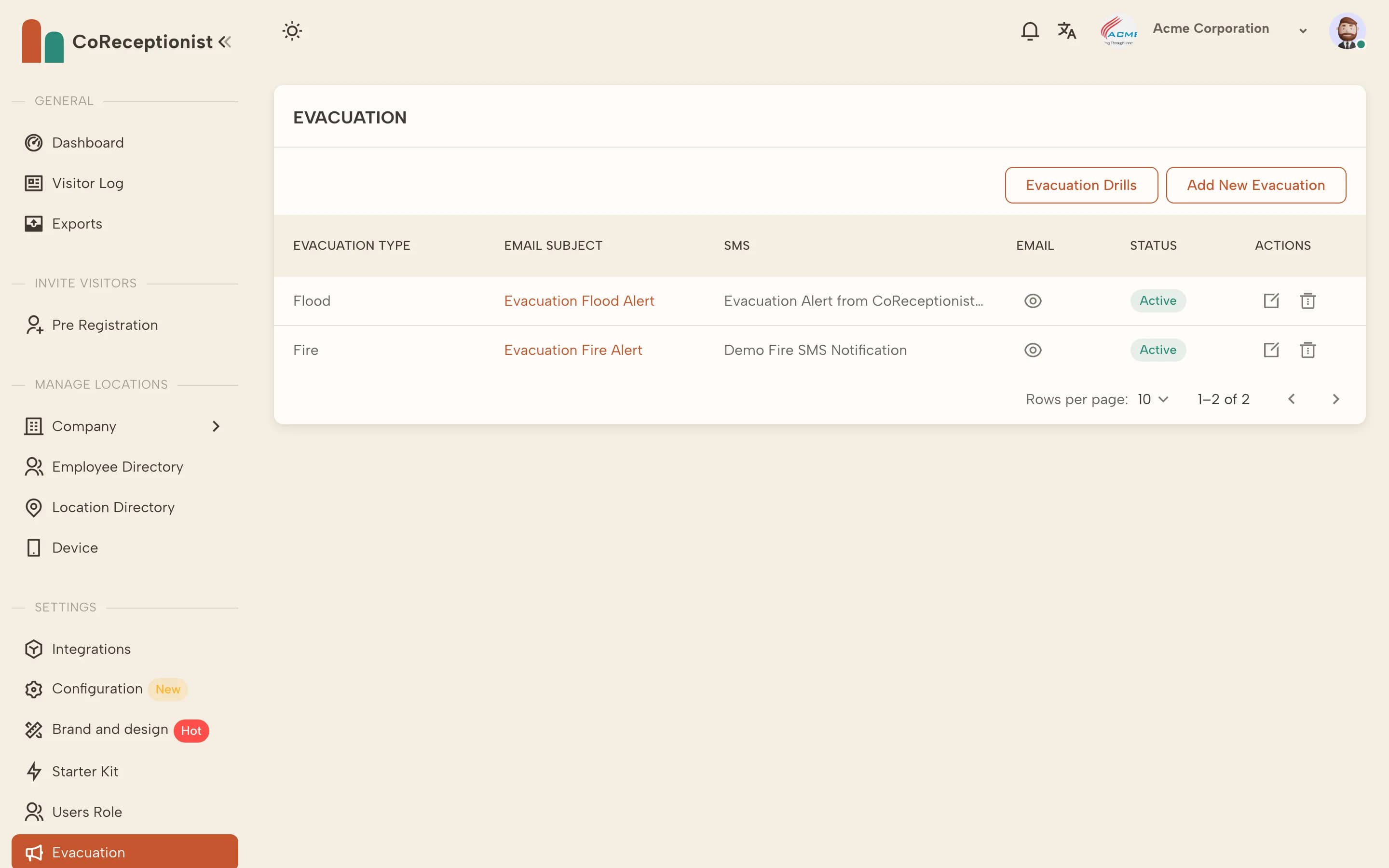
Set up your evacuation types in the dashboard first; then everything runs from the kiosk.
1
Set up evacuation typesIn the dashboard's Evacuation page choose Add New Evacuation. Enter the type (for example Fire or Flood) and the email subject, email body and SMS text people receive.
2
Open the evacuation listOn the kiosk, hold the company name or logo for 5 seconds and choose Evacuation list. It shows every visitor and host on site right now.
3
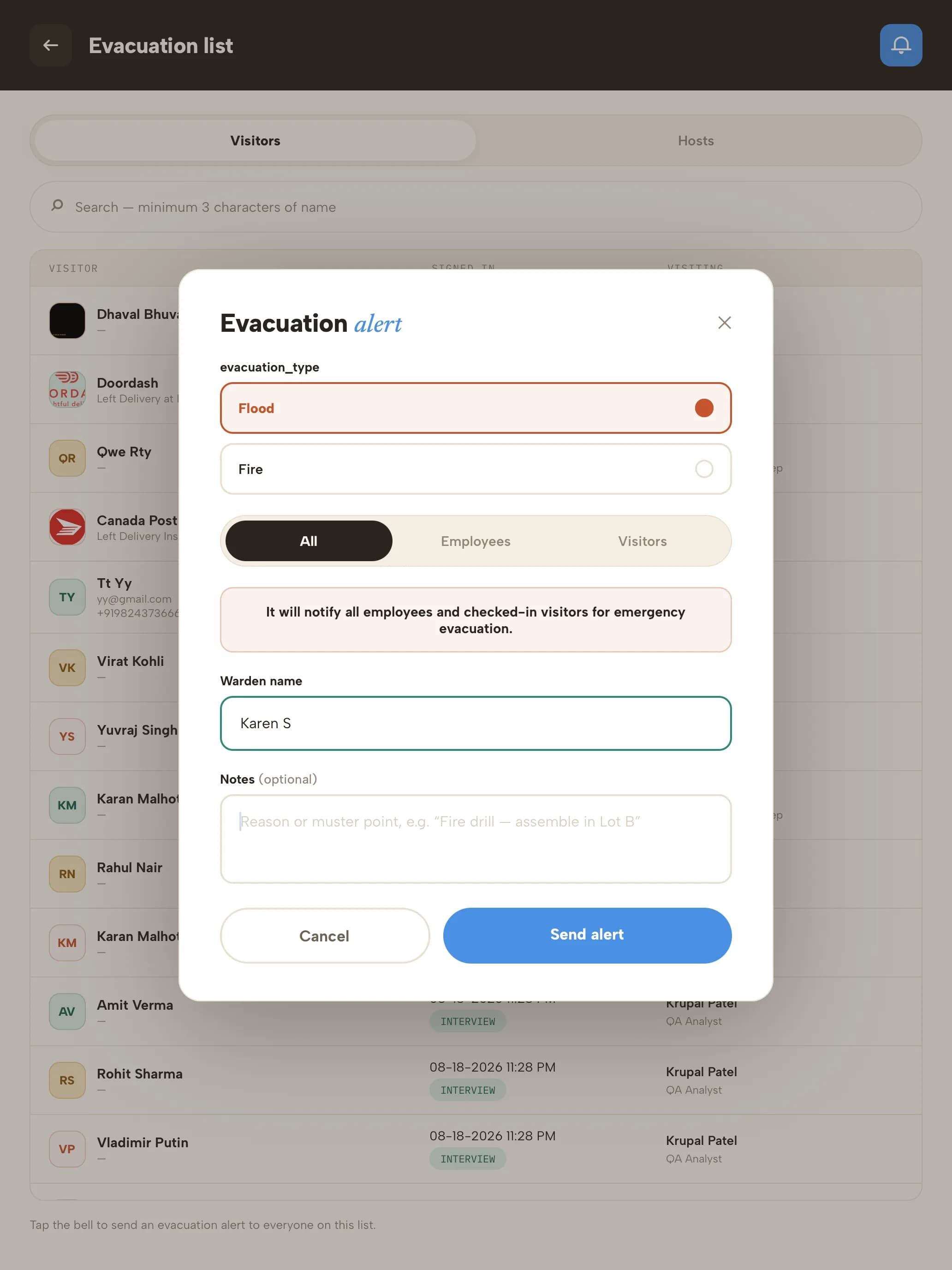
Send the alertTap the bell, choose the evacuation type, who to alert (everyone, employees or visitors), enter the warden's name and any notes, then Send alert.
4
Run roll callMark each person safe as they're accounted for, and add comments where needed.
5
Complete the evacuationWhen everyone is accounted for, the warden enters their name and signs to complete it.