Visitor management system: how it works
A visitor management system registers, screens, badges and records everyone who walks through your front door. This guide covers how digital check-in works, the features that matter, what it costs and how to choose one.
A full visitor check-in in 51 seconds: kiosk sign-in, NDA, photo, badge print and host alert.
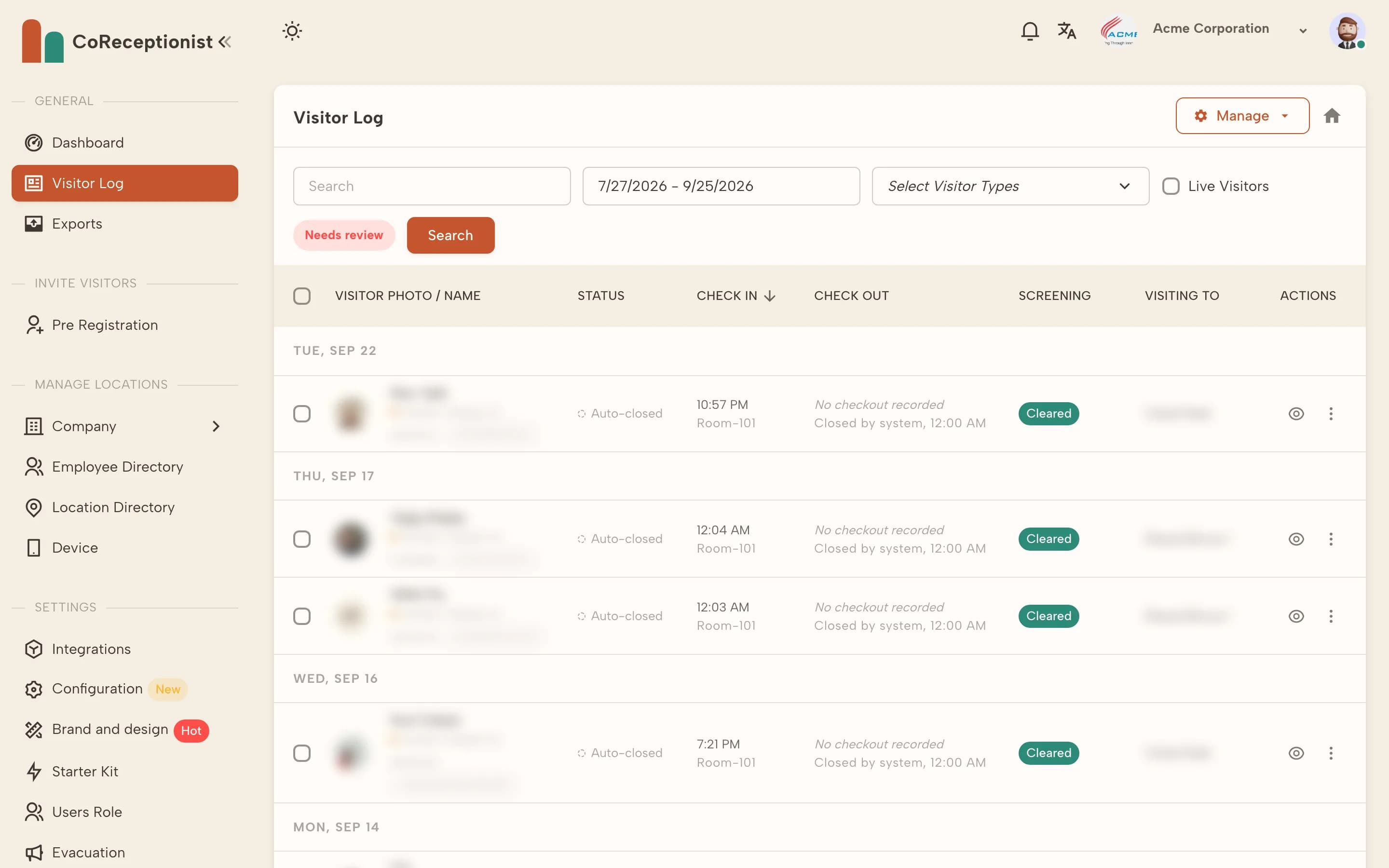
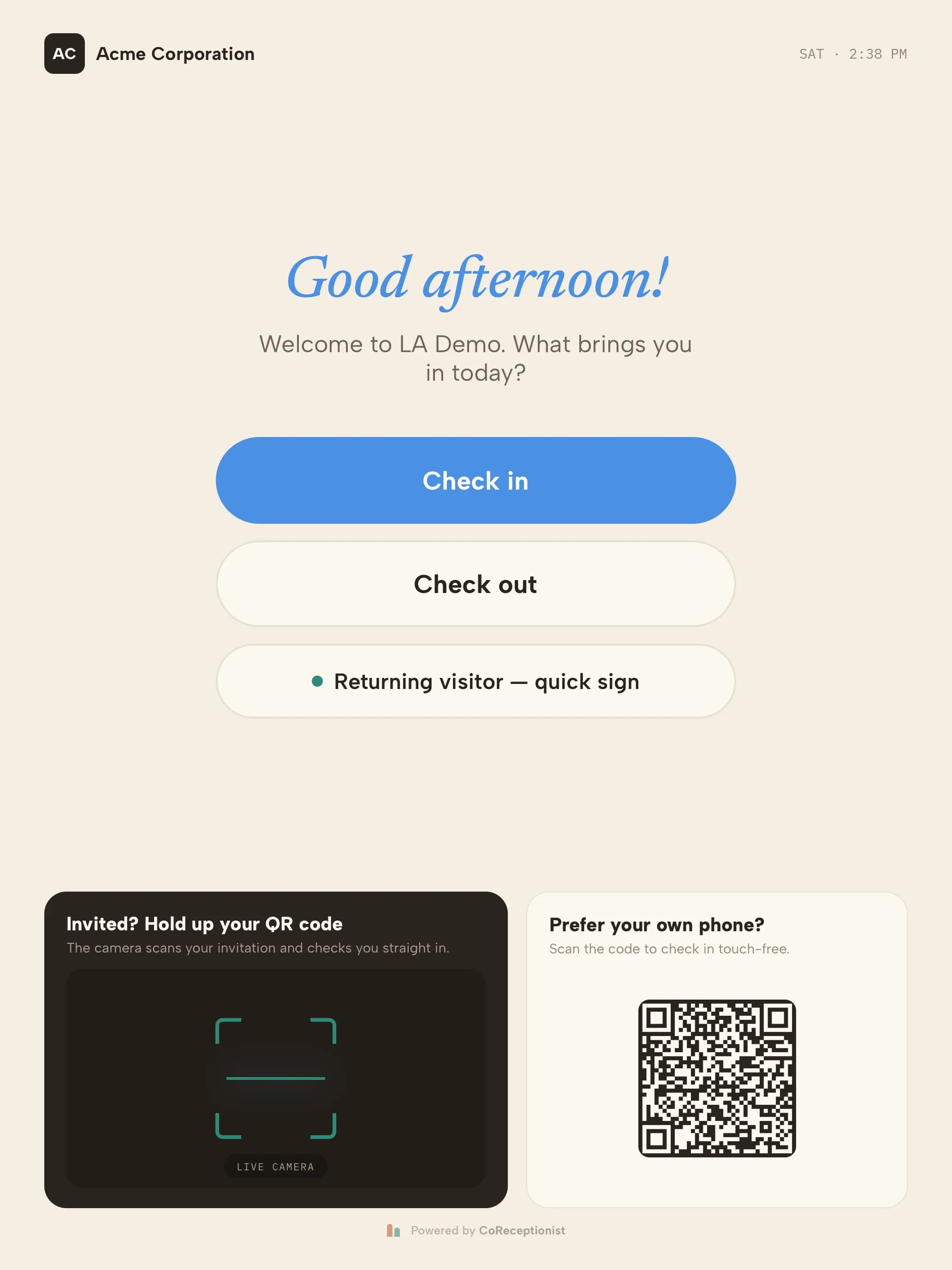
Visitors check in on the kiosk; every visit lands in the dashboard's visitor log.
What is a visitor management system?
A visitor management system (VMS) is software that controls how guests, contractors and deliveries enter a building. It replaces the paper sign-in sheet with a digital check-in — usually a tablet kiosk in the lobby or a QR code visitors scan with their own phone.
A modern, cloud-based visitor management system does more than log names. It screens visitors, tells hosts their guest has arrived, prints badges, collects signatures on NDAs and safety inductions, and keeps a searchable record of every visit across every location.
Still on paper? Our free visitor log template covers the basics — and shows where paper starts to fall short.
How a visitor management system works, step by step
- STEP 01Pre-registerHosts invite expected guests ahead of time. The guest gets meeting details and a QR code; the front desk sees who is due.
- STEP 02Check inVisitors sign in on a self-service kiosk or touch-free from their own phone. Each visitor type — guest, contractor, delivery — follows its own questions.
- STEP 03ScreenNames are checked against your own watchlist and, where needed, U.S. denied-party lists. A match holds the visitor and alerts security.
- STEP 04Notify the hostThe host gets an email, SMS or Slack message the moment their guest arrives, so nobody waits in the lobby.
- STEP 05Badge and signA badge with name, photo and host prints automatically. NDAs and safety inductions are signed on screen before entry.
- STEP 06Check out and recordEvery visit lands in a searchable, exportable log — the record auditors ask for and the roster you need in an evacuation.
Visitor registration system: before and at the door
A visitor registration system is the part of visitor management that captures who is coming and why. In CoReceptionist it works two ways: hosts pre-register expected guests from the dashboard, so the visitor gets an invitation with a QR code and the front desk sees who is due, and walk-ins register on arrival at the kiosk or on their own phone.
Either way, each visitor type answers its own questions — a contractor signs the site rules, an interview candidate signs an NDA — and the registration becomes the visit record. Learn how to pre-register visitors, or see the visitor management kiosk they register on.
Visitor management system features that matter
Why use a digital visitor management system?
Paper logbooks expose every previous visitor's name, can't tell a host their guest has arrived, and are useless in an evacuation. An automated system fixes all three.
Visitor management by industry
How to choose the best visitor management system
The best system is the one that fits your front door. Run a trial on your own tablet, with your own visitor types, before you sign anything. Comparing vendors? See how we stack up against Envoy and other systems.
How much does a visitor management system cost?
Cloud visitor management systems are usually priced per location, per month. CoReceptionist plans run from $50 to $150 per location per month depending on how many hosts you have, with every feature on every plan and unlimited visitor check-ins. Annual billing costs less.
Hardware is simple: an iPad or Android tablet for the kiosk, and an optional Brother QL-820NWB label printer for badges. See full pricing or start a 14-day free trial — no credit card required.
Frequently asked questions
What is a visitor management system?
A visitor management system (VMS) is software that registers, screens, badges and records everyone who visits a building. It replaces the paper sign-in book with a check-in kiosk or mobile sign-in, alerts hosts automatically and keeps a searchable log of every visit.
How does a visitor management system work?
Visitors sign in on a tablet kiosk or their own phone, answer the questions set for their visitor type, and are screened against any watchlists. The system notifies their host, prints a badge, collects signatures on documents such as NDAs, and records the visit until check-out.
What is a visitor registration system?
A visitor registration system records a visitor's details, reason for visiting and host before they are admitted. With CoReceptionist, hosts can pre-register guests ahead of time, and walk-ins register themselves at the kiosk or by scanning a QR code with their phone.
How much does a visitor management system cost?
Most cloud visitor management systems are priced per location per month. CoReceptionist starts at $50 per location per month with every feature included, plus a tablet and an optional badge printer. There is a 14-day free trial with no credit card.
What hardware do I need?
An iPad or Android tablet for the kiosk. A Brother QL-820NWB label printer is optional for badges. Visitors can also check in touch-free by scanning a QR code with their own phone.
Is a cloud-based visitor management system secure?
A good one encrypts data, lets you set retention policies per site, and lets you revoke kiosks remotely. Ask vendors for their security documentation; CoReceptionist publishes its security overview and a security FAQ for IT reviews.
Can a visitor management system screen visitors?
Yes. CoReceptionist checks visitors against your own watchlist and, for ITAR programs, the U.S. Consolidated Screening List. A match pauses check-in, prints no badge and alerts the people you choose.