Industries / Educational Institution
For principals, front-office teams & district safety leads
School visitor management that starts at the front door
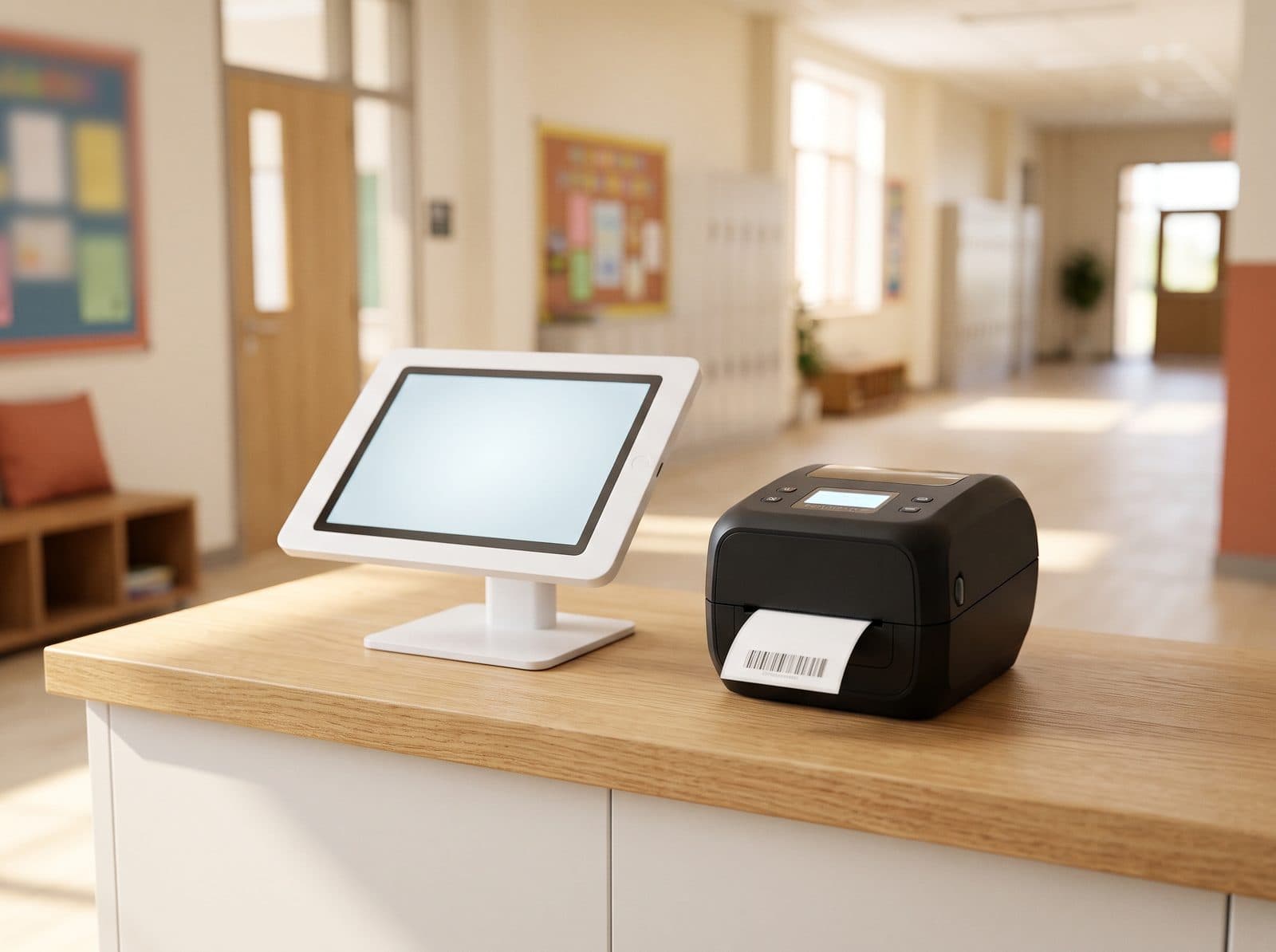
A school visitor management system for the front office. Parents, volunteers, contractors and substitutes check in against your rules, get a visitor badge, and the evacuation roster always knows who is in the building.
14-day free trial · no credit card · parent, volunteer, contractor and substitute visit types set up for you
Sound familiar?
Where school check-in breaks: the front office
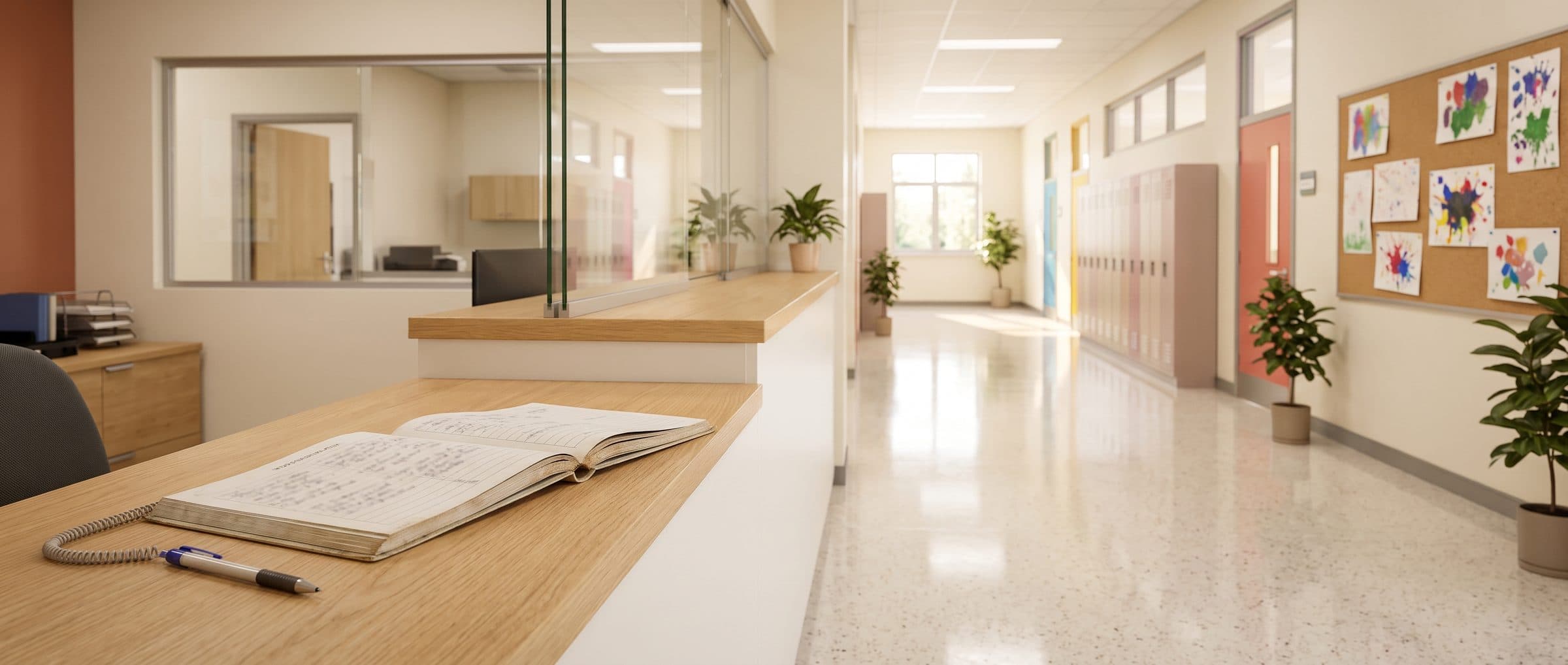
- A visitor scribbles a name in the sign-in book and heads down the hallway.Nobody confirmed who they are, who they're seeing, or whether they should be on campus at all.
- An adult who isn't allowed on campus walks up to the front desk.The list of restricted people is printed and in a drawer — useful only if the right person is at the desk.
- The fire alarm sounds on a busy volunteer morning.Teachers have class rosters. Nobody has a list of the parents, volunteers and contractors inside.
- Visitors leave without signing out.By the afternoon, the book says a dozen people are still in the building. Nobody knows which.
How it's solved
School check-in, badges and roll call — at the kiosk
Each of those moments has a check-in step that prevents it — set per visit type, so parents, volunteers, contractors and substitutes each get the right one.
- A visitor scribbles a name in the sign-in book and heads down the hallway.Every adult checked in, badged and announcedVisitors choose why they're here, find who they're seeing, have their photo taken and sign your visitor policy. Their host is notified and a visitor badge prints.
- An adult who isn't allowed on campus walks up to the front desk.Your watchlist, checked at the doorEvery visitor is checked against your school's own watchlist at check-in. A match holds the visit quietly and alerts the office — no scene at the front desk.
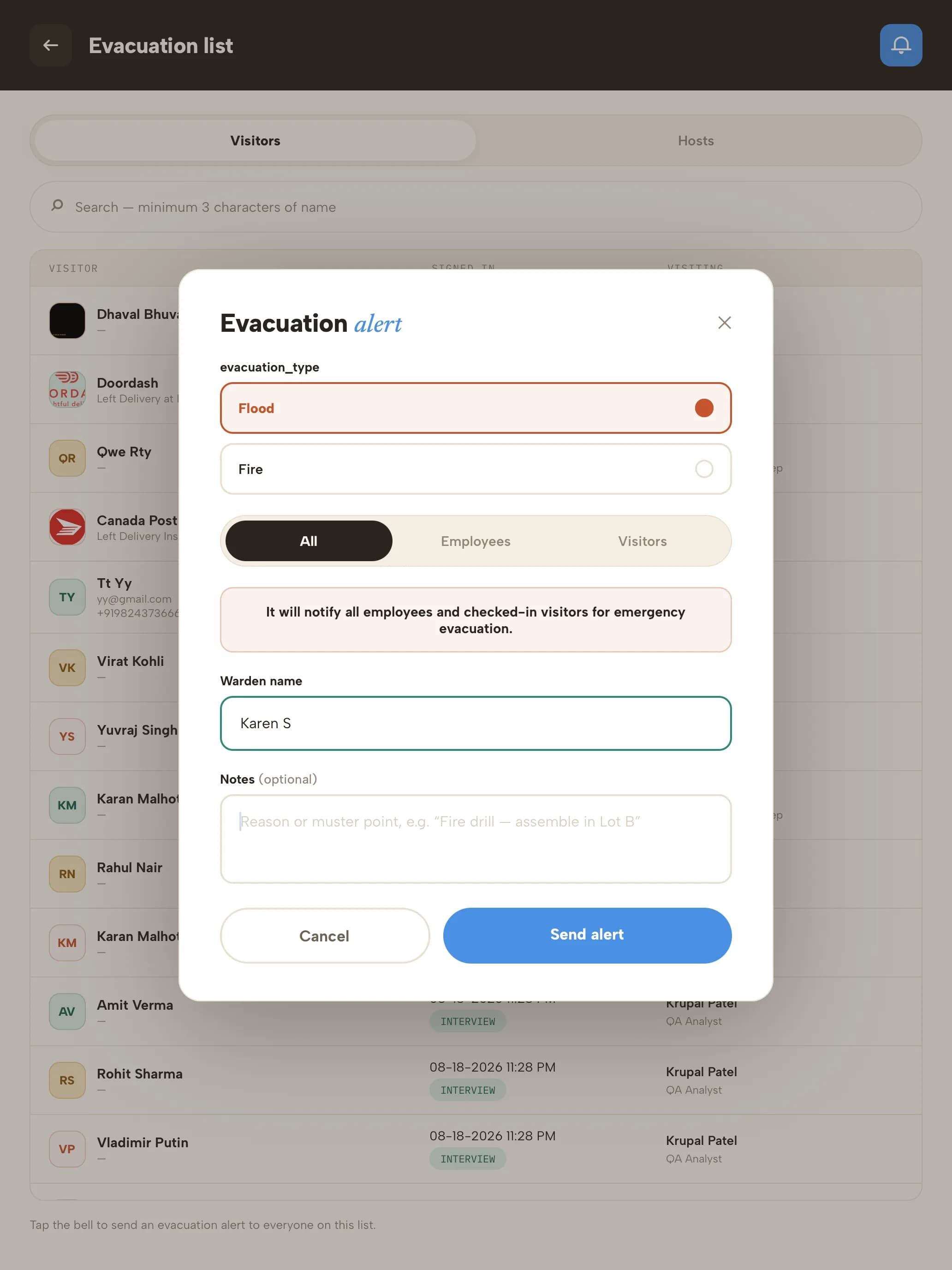
- The fire alarm sounds on a busy volunteer morning.Everyone on campus, on one listOpen the evacuation list from the kiosk to see every visitor and staff host on site, alert them by email and SMS, and mark people safe at roll call. Every drill is kept in the dashboard.
- Visitors leave without signing out.Sign-out that actually happensVisitors sign out with their email, visitor code or phone, or by picking their name. Auto Checkout closes out anyone left at the end of the day.
Fast for parents who come every dayReturning visitors sign in with just their email or phone, and their badge can print from their last visit.
Contractors escorted and briefedContractors accept your site rules — or watch a short induction video — before check-in continues, and visit types that need an escort can't finish without one.
A visitor on campus
Accounted for from the front office in six steps
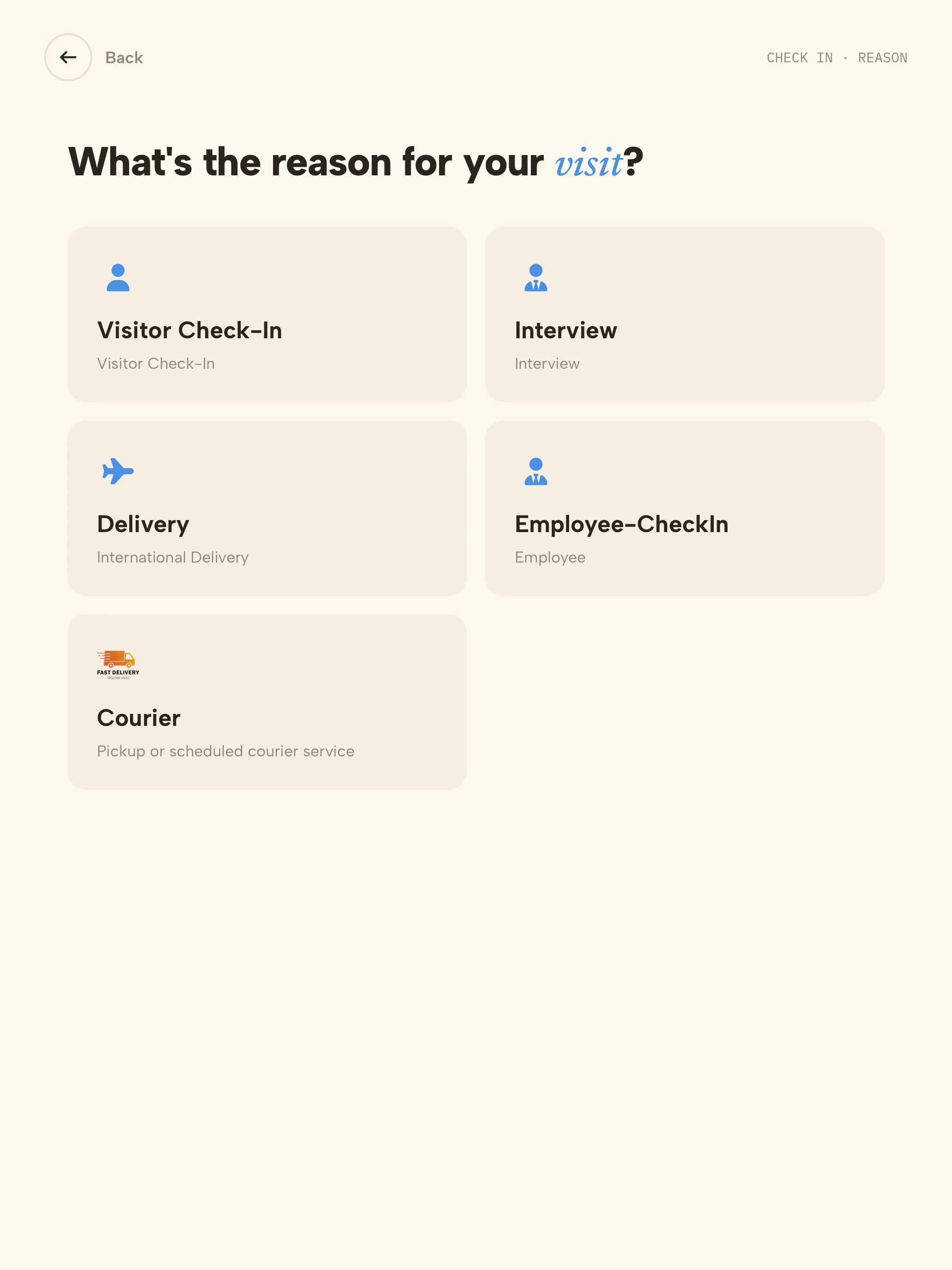 01Visit typeParent, volunteer, contractor or substitute — each has its own steps.
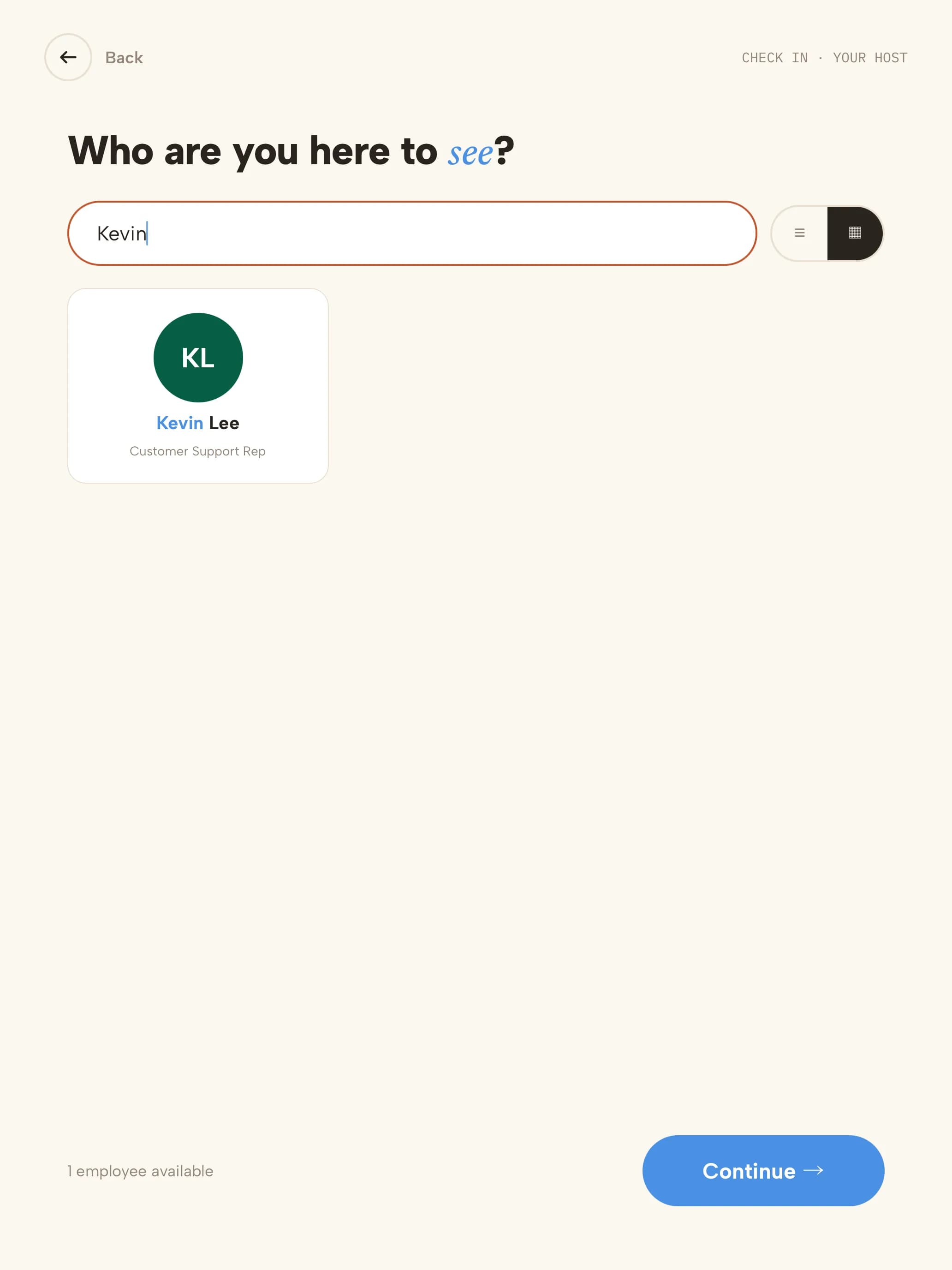 02HostThey search for who they're seeing; that person is notified.
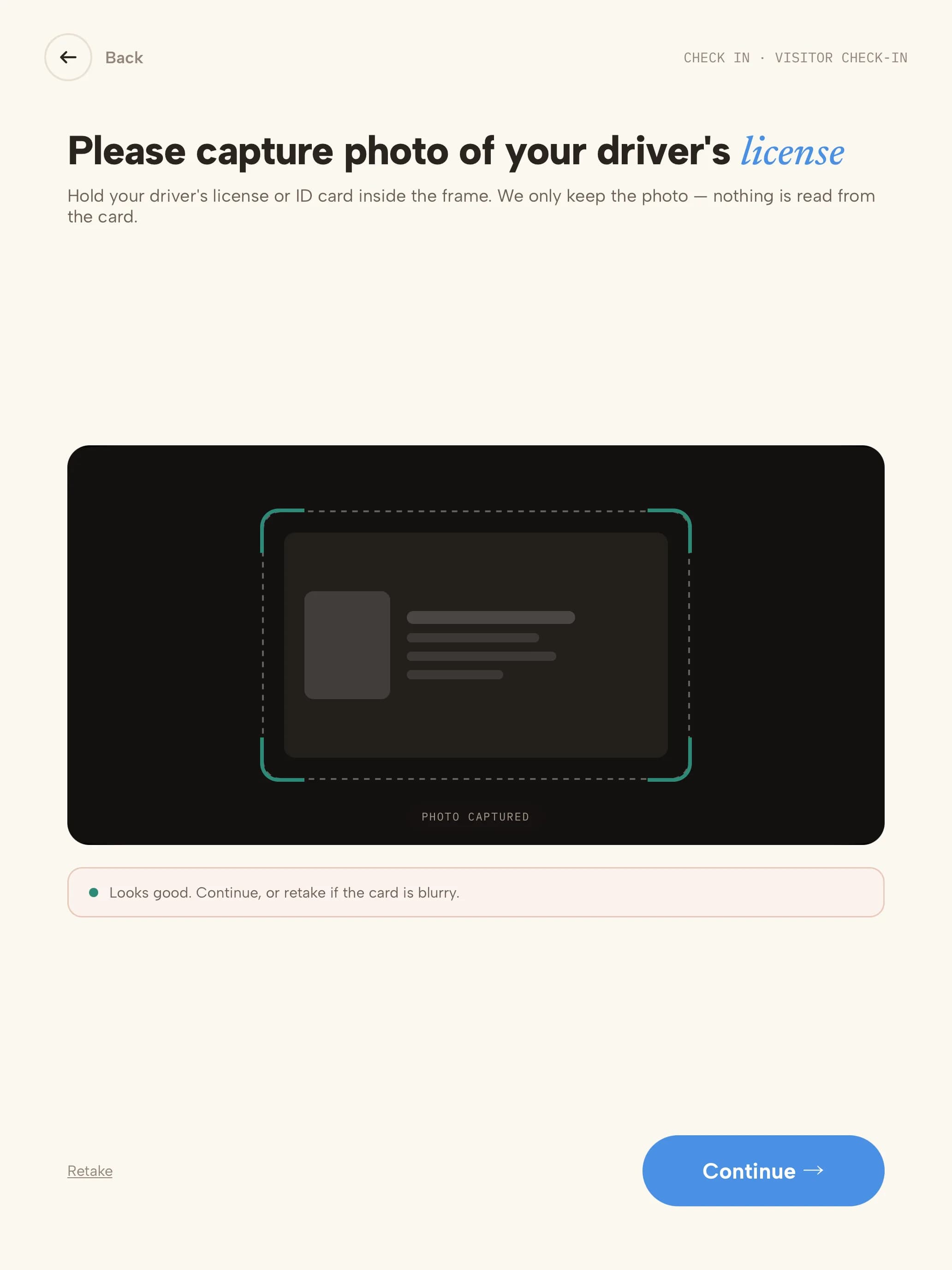 03IDDriver's licence or ID captured; only the photo is kept.
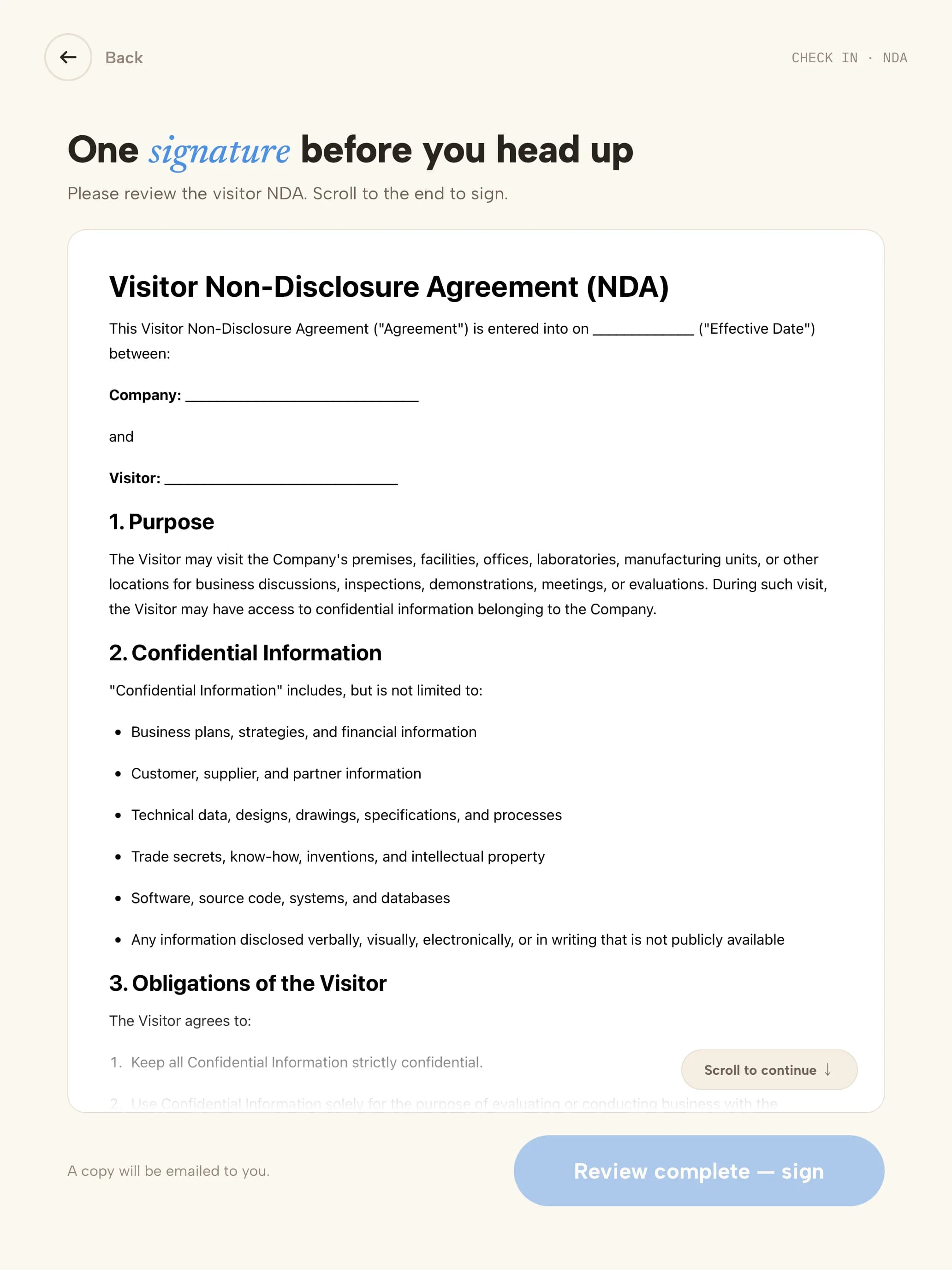 04PolicyYour visitor policy is read on screen.
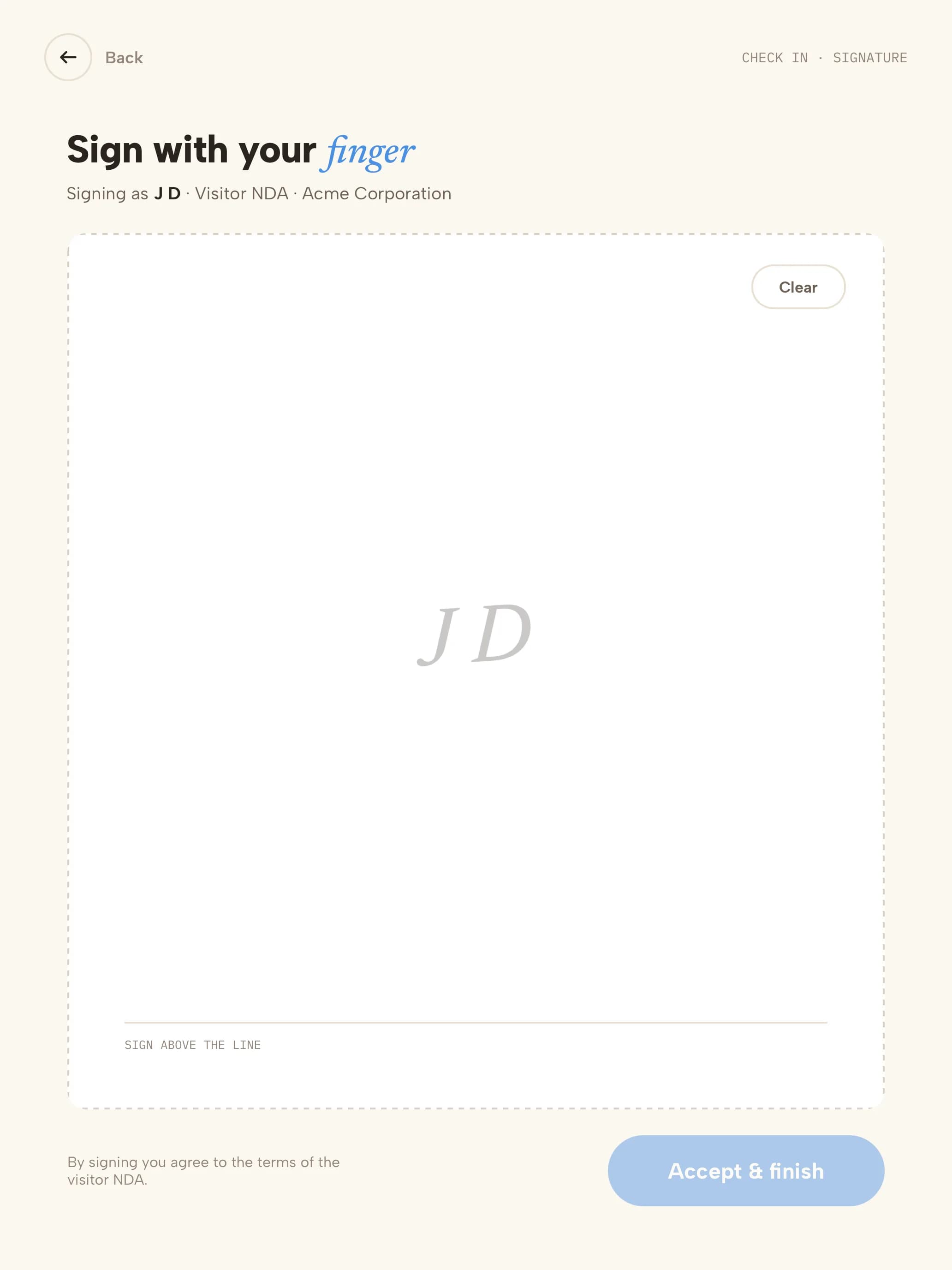 05SignatureSigned with a finger; a copy is emailed to them.
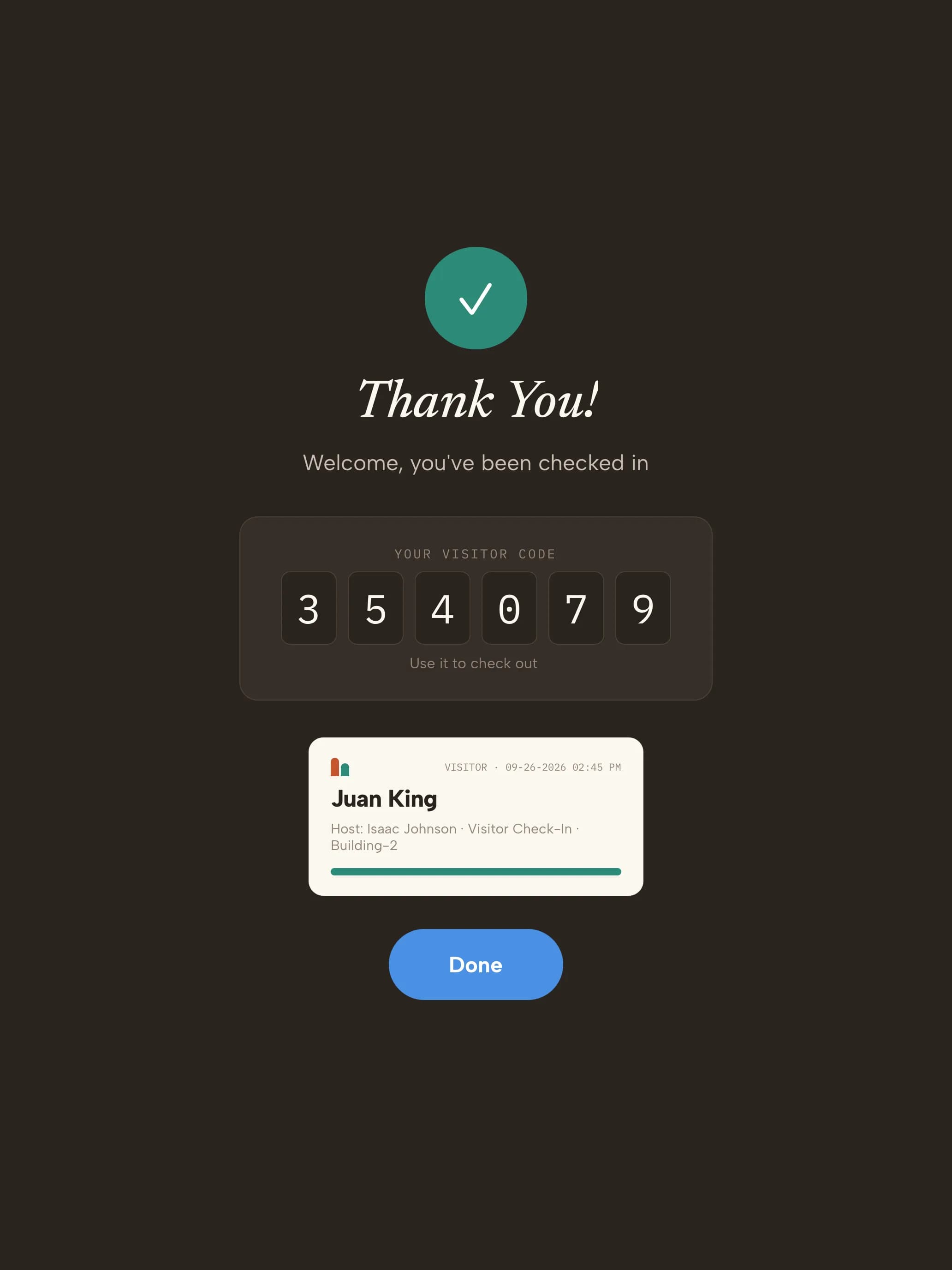 06BadgeVisitor code on screen and the badge prints.
Ready on day one
Your trial starts with school visit types
Every kind of visitor gets its own check-in. These are ready the moment you sign up — adjust any step from the dashboard.
- Parent or guardianMeetings, early pickups, classroom visits
- Name
- Who you're visiting
- Watchlist check
- Visitor policy
- Photo
- Badge
- VolunteerClassroom helpers, chaperones, events
- Name
- Host
- Watchlist check
- Volunteer agreement
- Photo
- Badge
- ContractorMaintenance, IT and vendors
- Name & company
- Host
- Watchlist check
- Site rules
- Photo
- Escort
- Badge
- Substitute teacherDaily and long-term substitutes
- Name
- Front office
- Photo
- Badge
Start with these visit types14 days free · no credit card
The record you keep
What your school visitor log looks like
| Visitor | Type | Visiting | Watchlist | Signed | Badge | In | Out |
|---|---|---|---|---|---|---|---|
| K. Morales | Parent | Ms. Patel · Room 12 | Clear | Visitor policy | Printed | 08:05 | 08:40 |
| D. Chen | Volunteer | Library | Clear | Volunteer agreement | Printed | 09:15 | 11:30 |
| R. Okafor | Contractor | Facilities | Clear | Site rules | Printed · escorted | 10:02 | 13:45 |
| T. Barnes | Parent | Front office | Held · reviewed by office (ref H-1187) | — | Not issued | 14:50 | 14:58 |
Illustrative sample with fictional visitors. Your log includes the fields your visit types collect.
- Visitor data stored in a U.S. AWS region
- Encrypted at rest
- SOC 2 Type II engagement underway
Getting started
Three steps to your front door
- 1Start your trial14 days free, no credit card. Your account opens with 4 school visit types ready to use.
- 2Pair a tabletUse any iPad, or an Android tablet on Android 14 or later. Scan the pairing QR code and the kiosk is live. Add a label printer if you want badges.
- 3Add your teamAdd the people visitors come to see. They're notified by email, SMS, Slack or Microsoft Teams when someone arrives.
Questions, answered
What does DHS recommend for school visitors?The Department of Homeland Security's K-12 school security checklist calls for visitors to check in at the front office when they arrive and check out when they leave, wear a school-issued visitor badge, and for vendors and contractors to be escorted. CoReceptionist enforces each of those at the kiosk and keeps the record.
Can this replace our paper sign-in book?Yes. Visitors check in at an iPad or Android kiosk in the front office, or from their own phone by QR code. Every visit is timestamped with who they saw, what they signed and when they left — searchable and exportable instead of filed in a binder.
What does a school visitor management system do?It replaces the front-office sign-in book. Every adult who enters is registered, checked against your rules, badged and logged, their host or teacher is notified, and the system keeps a live list of who is on campus for drills and emergencies.
Can we screen visitors before they enter?Yes. Visitors can be checked against your own watchlist and the U.S. Consolidated Screening List at check-in, and matches are held discreetly for review.
Parents come in every day. Is it quick for them?Turn on returning visitors: they sign in with just their email or phone, and their badge can print from their last visit.
Can contractors acknowledge site rules before they start?Yes. Add your rules as an agreement, or an induction video, to the contractor visitor type. It must be accepted before check-in continues.
How do evacuation drills work?From the kiosk's admin screens, open the evacuation list to see everyone on site, send the alert by email and SMS, and mark people safe during roll call. Past drills and who was accounted for are kept in the dashboard.
How do visitors sign out?With their email, visitor code or phone, by picking their name, or both. Auto Checkout signs everyone out each night.
Evaluating Envoy or Sign In Solutions? Compare →
More in our Trust Center and Security FAQ.
Try it at your front door for 14 days
- 14 days free
- No credit card
- School visit types set up for you
- Use any iPad or Android tablet