VISITORS & PRE-REGISTRATION · 2 MIN · UPDATED SEP 2026
Pre-registervisitorswithaQR invite
Pre-registered visitors get an email or SMS invitation with a QR code to scan at the kiosk.
1
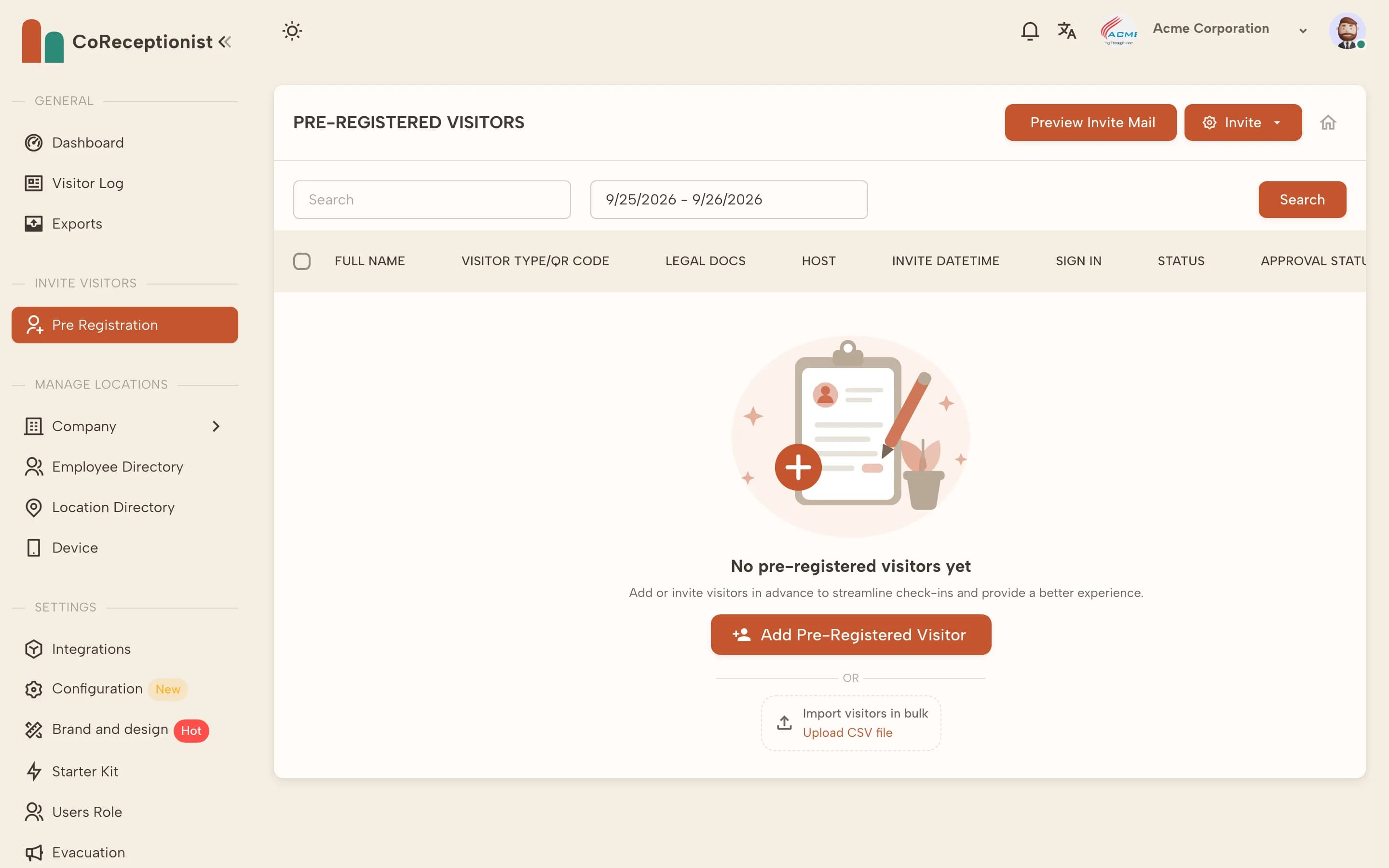
Invite a visitorOpen Pre Registration and choose Invite → Invite a Visitor. Pick the visitor type, host and check-in time and enter the visitor's name and email.
2
Choose the QR code typeOne-time codes work for a single visit; Permanent codes suit regular visitors. Choose email and/or SMS delivery and add an optional private message.
3
Invite many at onceChoose Invite many visitor or Upload CSV file to import a list — useful for events and contractor days.
4
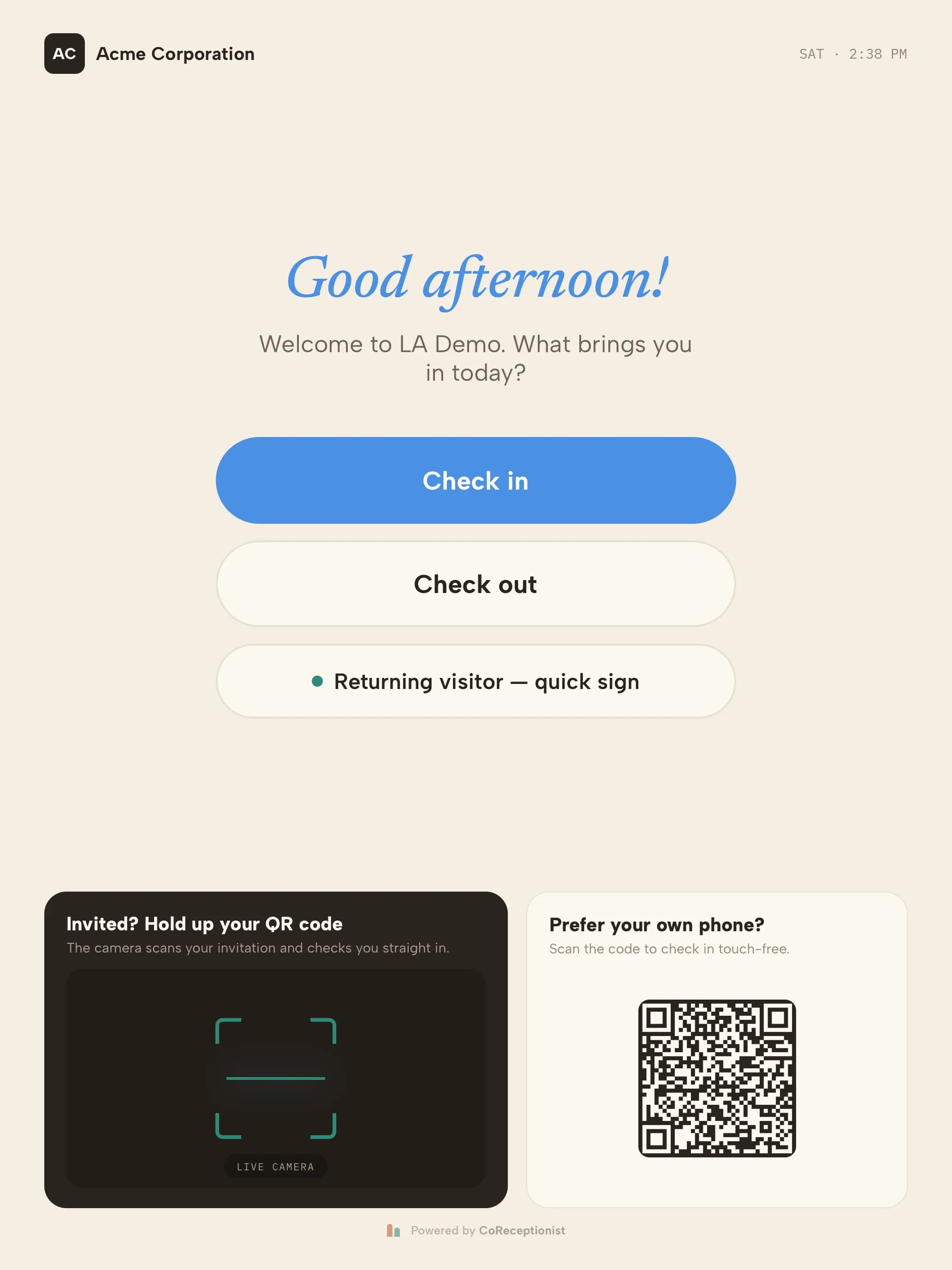
Visitor scans at the kioskOn arrival the visitor holds their QR code up to the kiosk camera and is checked in.
"Invited? Hold up your QR code" — bottom left of the welcome screen
5
Manage invitationsResend or reschedule an invitation, check its approval status, and use Preview Invite Mail to see what visitors receive.