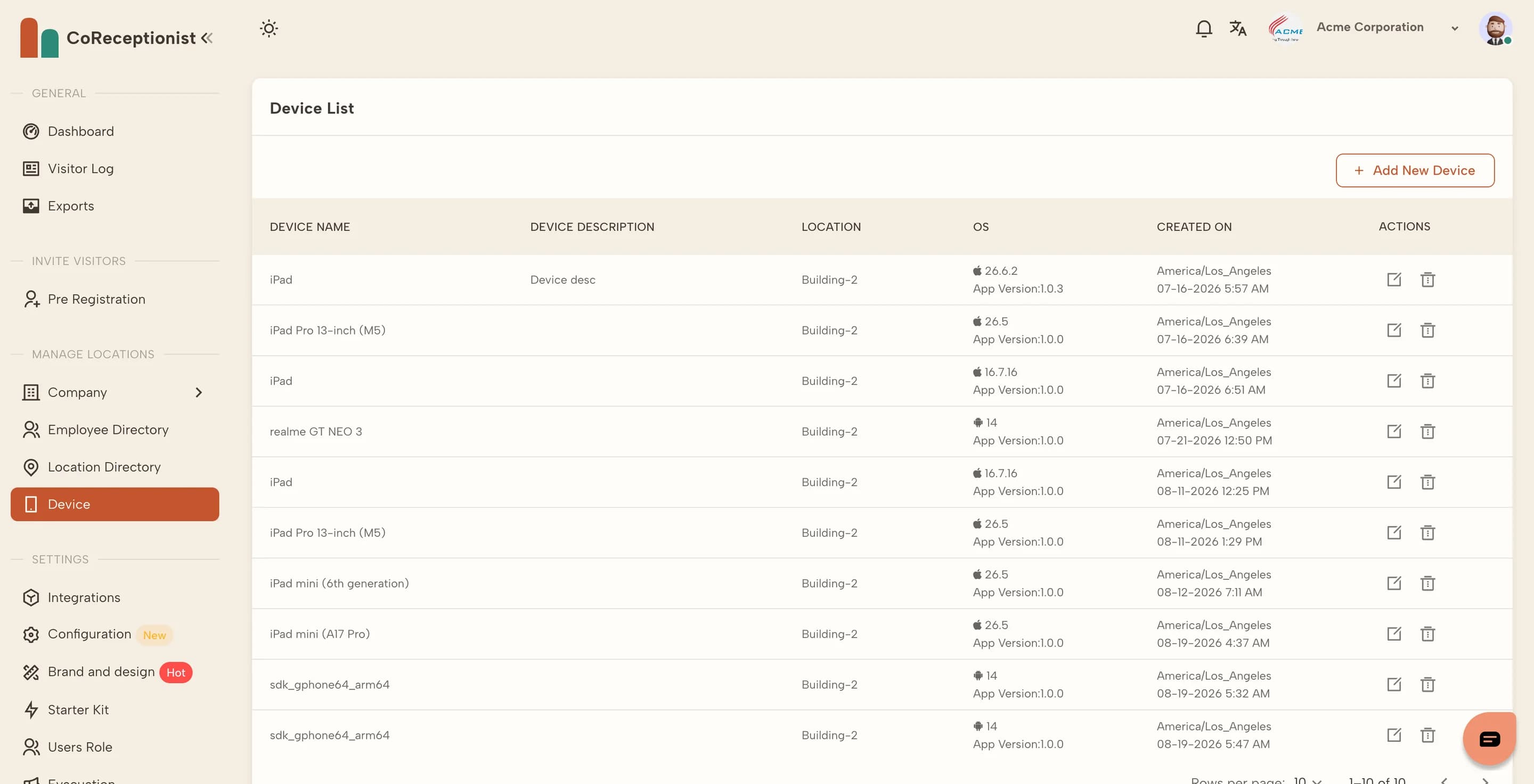
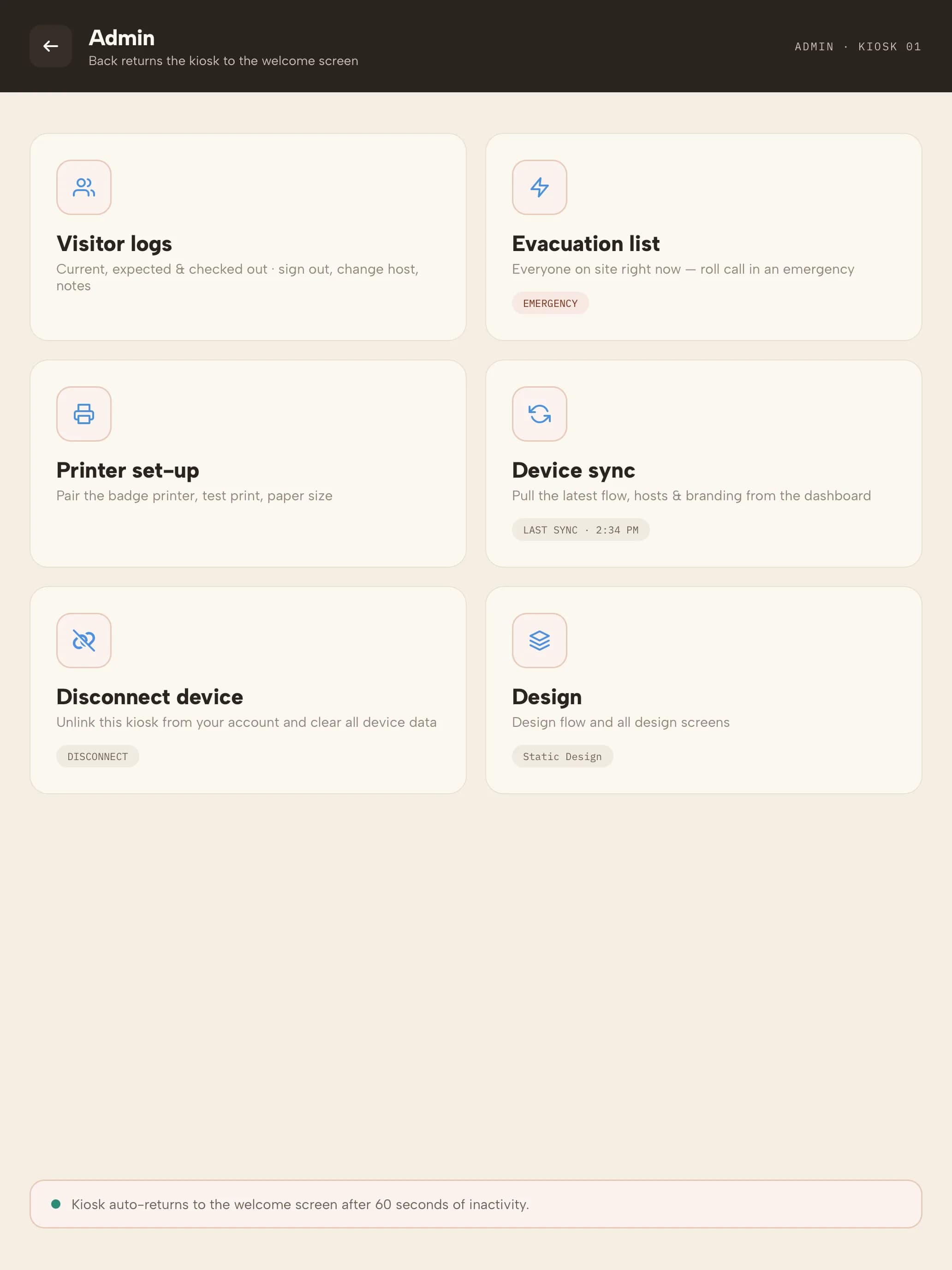
Each kiosk is paired to one location. You can see every paired tablet in Device.
1
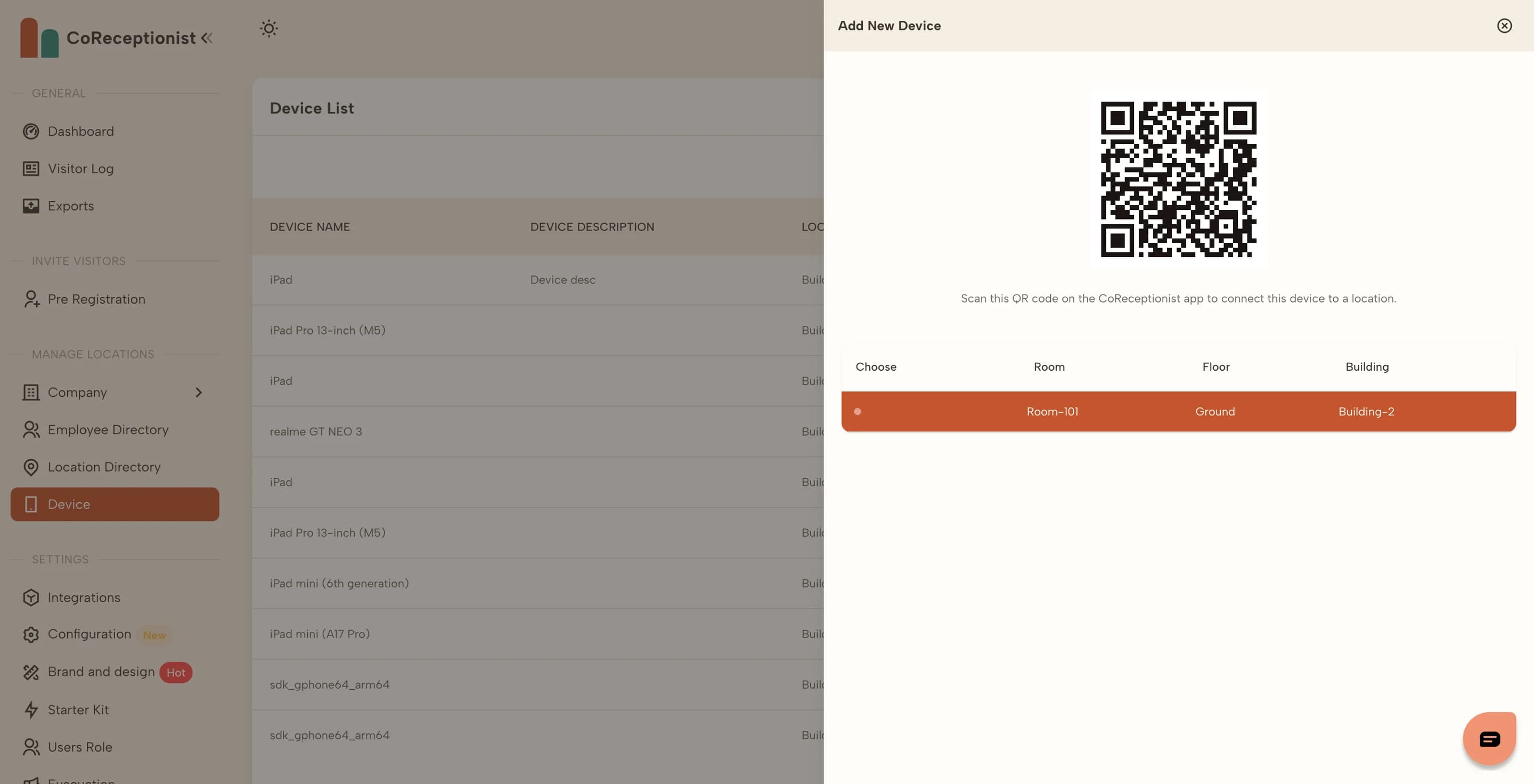
Get the pairing QR codeIn Device choose + Add New Device and pick the location where the tablet will stand. A QR code for that location appears. The dashboard's Quick Device Add card shows the same code.
2
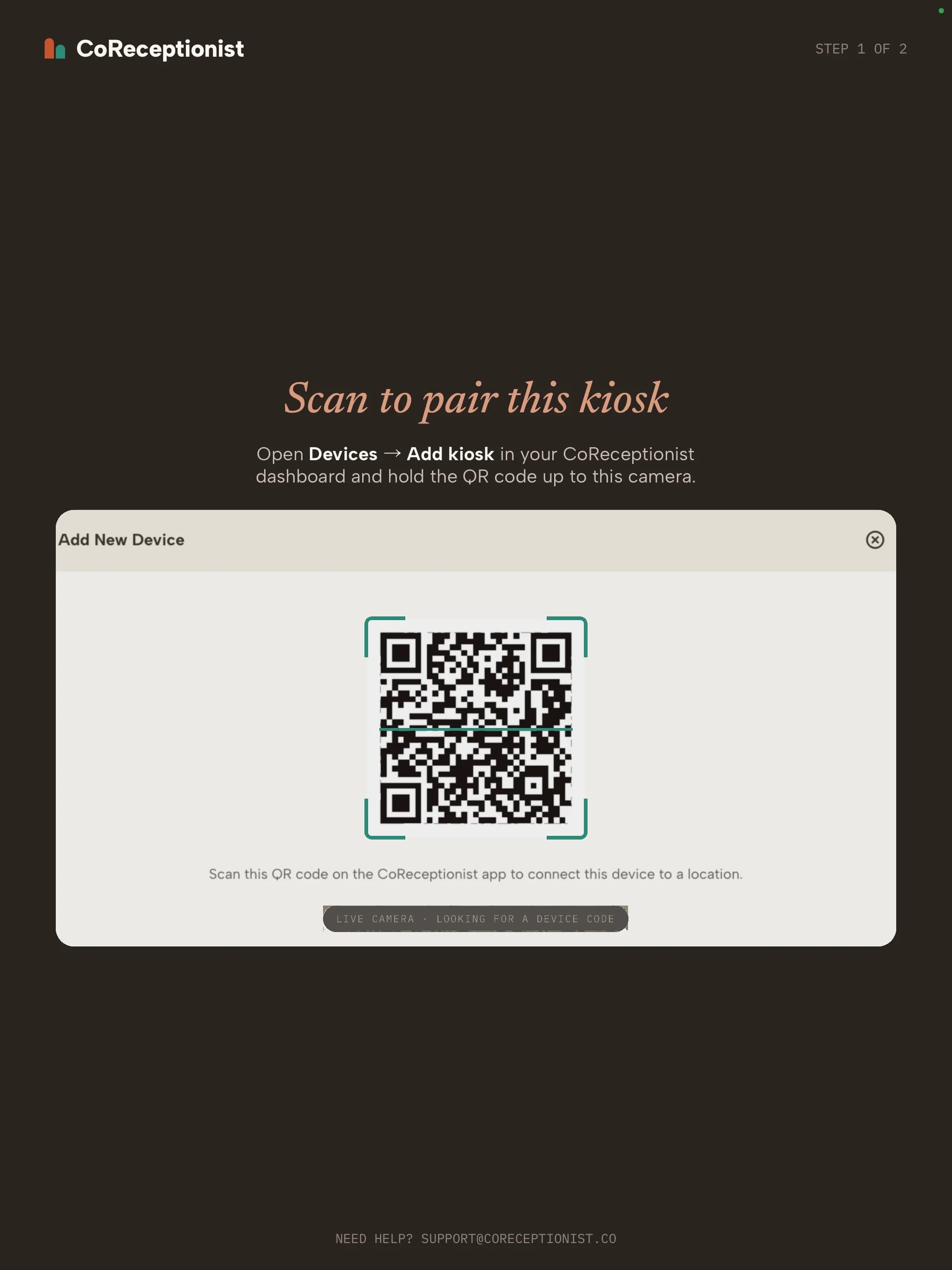
Scan it on the tabletOpen the CoReceptionist app. On "Scan to pair this kiosk", hold the tablet's camera up to the QR code.
3
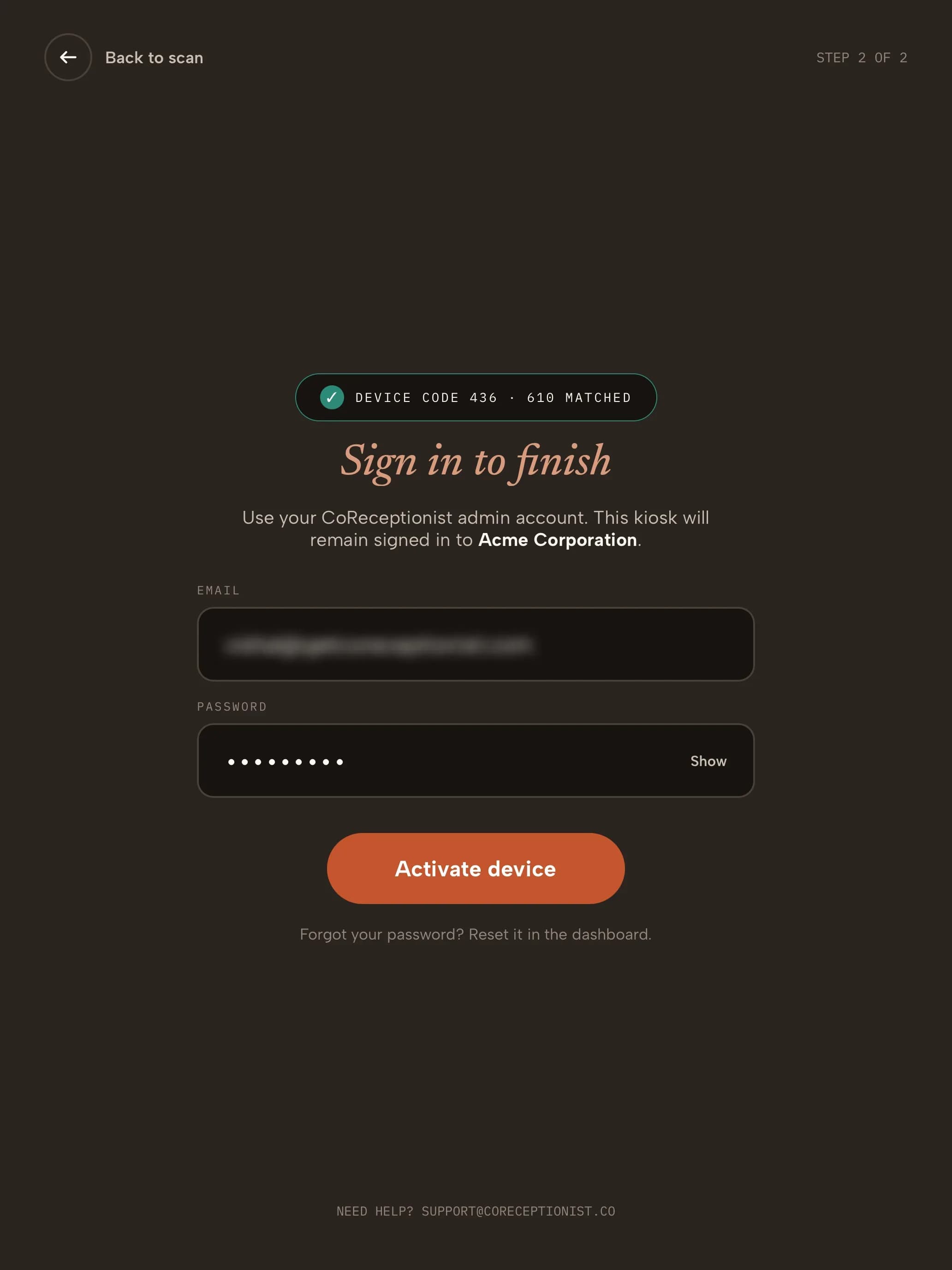
Sign in to finishOnce the code matches, sign in as the Account Owner or a Location Owner. The kiosk stays signed in to your company and downloads its branding and visitor types. The tablet then appears in the Device list with its location, OS and app version.
4
Disconnect a kioskOn the tablet, open the admin screens (hold the company name or logo for 5 seconds) and choose Disconnect device. To remove a lost tablet, delete it from the Device list in the dashboard.
TIPUse Device sync on the kiosk admin screen to pull the latest branding and visitor types straight away.