Multilingual visitor management: check-in in every language
Not every visitor reads English comfortably. This guide covers why multilingual check-in matters, what a bilingual or multi-language visitor management system should do, and how CoReceptionist handles it.
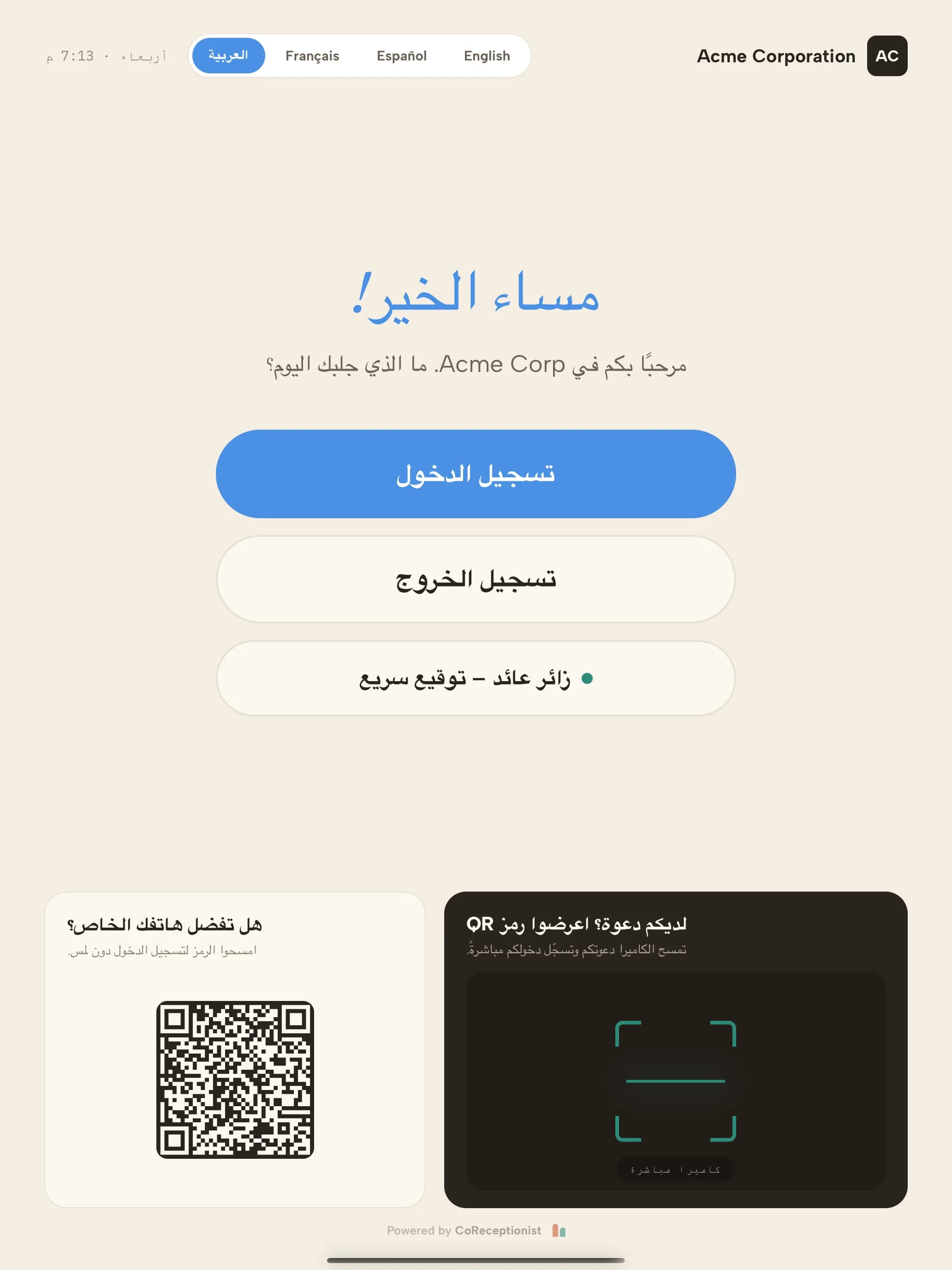
The CoReceptionist kiosk in Arabic. The layout mirrors right to left; the language picker sits beside the clock.
Why offer check-in in more than one language?
Contractors, delivery drivers, candidates and international guests often arrive at a lobby that speaks only one language. A multilingual check-in removes that friction where it matters most.
Bilingual or multilingual: what's the difference?
A bilingual visitor sign-in offers two languages — often English and Spanish in the U.S., or English and French in Canada. A multilingual visitor management system offers several, and lets each location choose its own set.
The harder part isn't the buttons; it's your text. Visit reasons, check-in questions, NDAs and invitations are written by you, and they need translating and keeping up to date as you change them.
What to look for in a multilingual visitor management system
A language picker is the easy part. Check what happens to your own content, your agreements and your staff's view.
How CoReceptionist does it
Visitors check in in English, Español, Français or العربية — on the check-in kiosk, on their own phone and through pre-registration invitations. You write your text once; it's translated automatically, you can edit any line, and NDA translations wait for your approval.
Your team keeps one default language for badges, host alerts and reports. See the full multi-language check-in feature, or read how languages work.
Keep reading
Frequently asked questions
What is multilingual visitor management?
Multilingual visitor management lets visitors check in, read agreements and receive messages in their own language, while your team keeps working in one. It covers the check-in kiosk, phone check-in, invitations, NDAs and alerts.
Can a visitor check-in kiosk be bilingual?
Yes. CoReceptionist's kiosk can offer two or more languages — for example English and Spanish — with a picker on the welcome screen. Visitors tap their language and the whole check-in follows.
Which languages does CoReceptionist support?
English, Spanish (Español), French (Français) and Arabic (العربية), including a right-to-left layout for Arabic.
Do I have to translate everything myself?
No. Your own text is translated automatically when you save it. You can review and edit any translation, and translated NDAs wait for an admin's approval before visitors see them.
What language do hosts and security see?
Your company's default language. Badges, host notifications and the visitor log stay in one language, whichever language the visitor used.