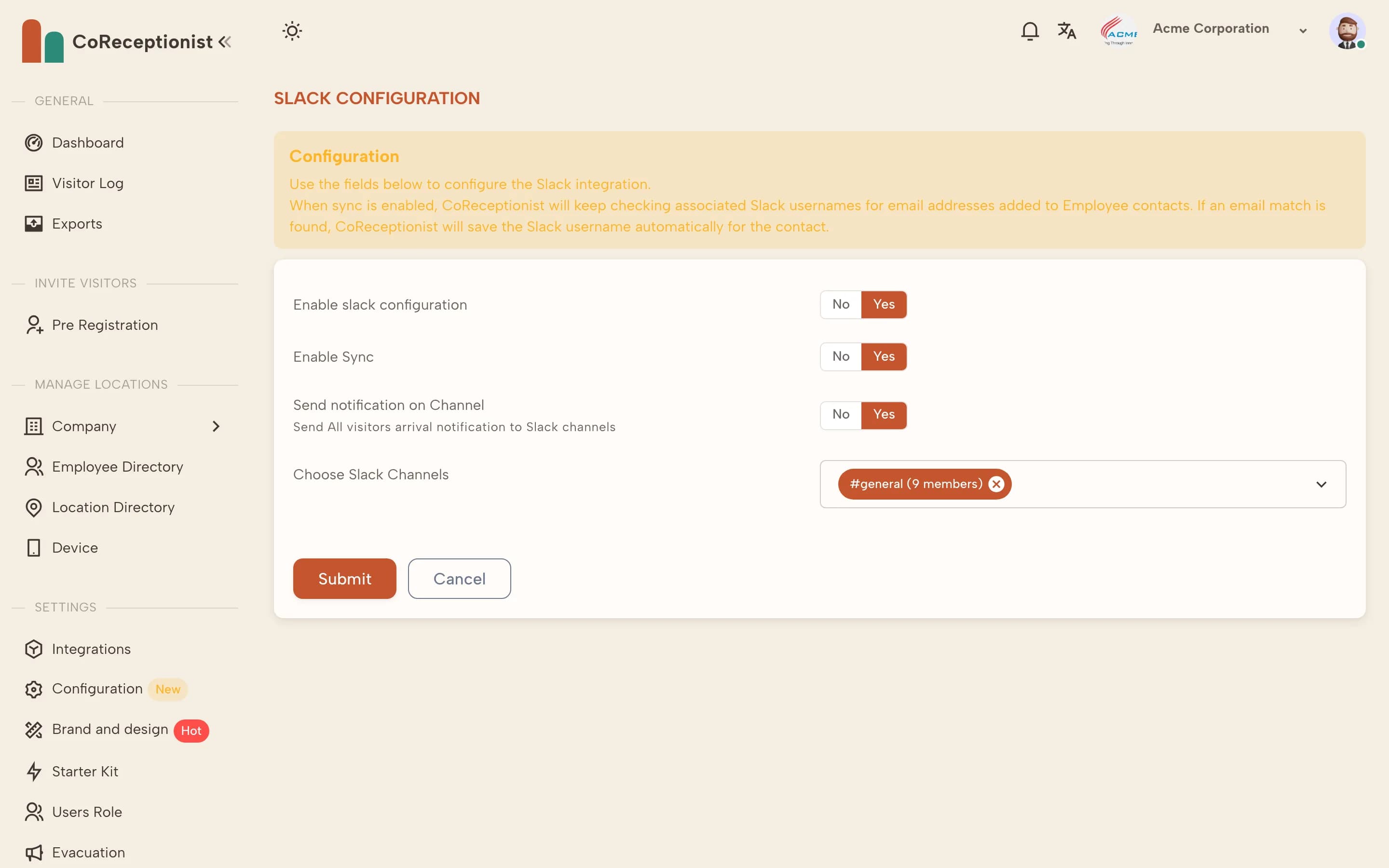
Slack works alongside email and SMS — hosts can get any combination.
1
Connect SlackOpen Integrations → Slack → Configuration and choose Add Slack to your application. Approve the app in your Slack workspace.
2
Turn it onSwitch on Enable slack configuration. Turn on Enable Sync to match employees to their Slack accounts by email automatically.
3
Post to a channel (optional)Turn on Send notification on Channel and choose the channels that should get every arrival — useful for a front desk or security channel.
4
Test itCheck in a test visitor for a host who has a Slack message rule and confirm the message arrives.