ITAR screening checks visitors against the U.S. Consolidated Screening List (denied-party and sanctions lists). A watchlist is your own list of names to flag.
1
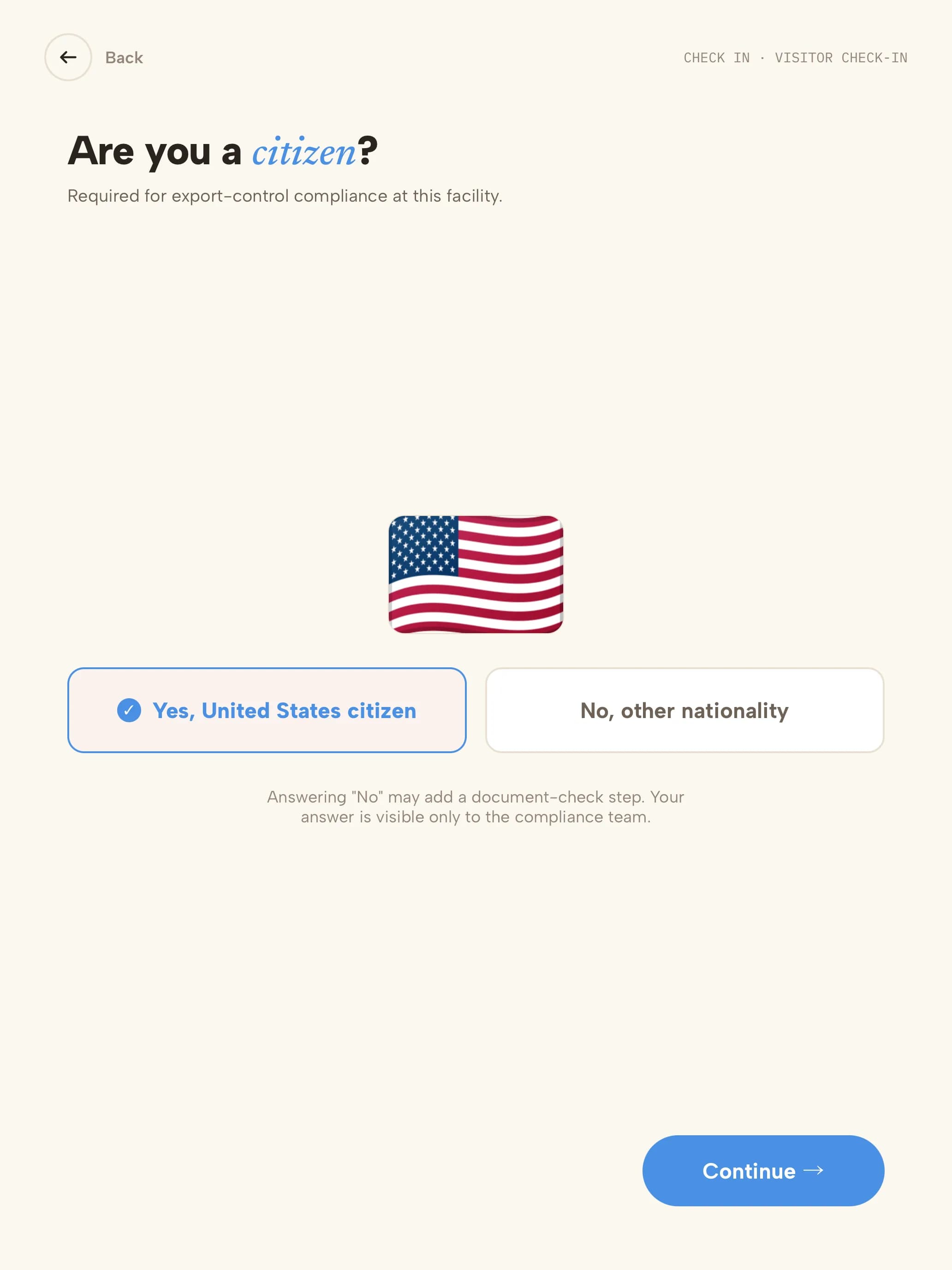
Ask for citizenshipAdd the citizenship field to the visitor types that need screening, so the kiosk asks "Are you a U.S. citizen?".
2
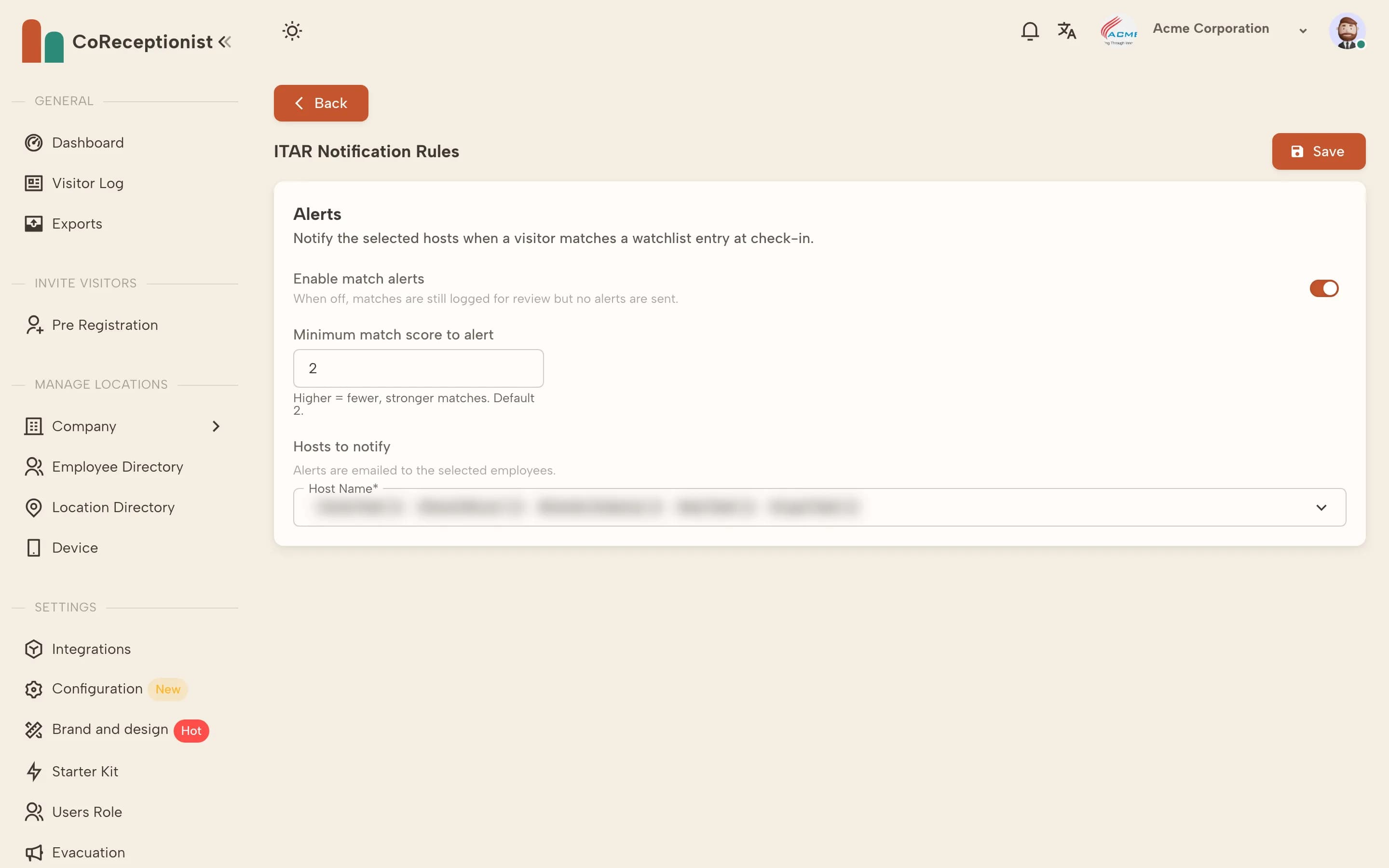
Choose who is alertedOpen Configuration → ITAR Configuration. Turn on match alerts, set the minimum match score (higher means fewer, stronger matches — default 2) and pick the hosts to email when a visitor matches.
3
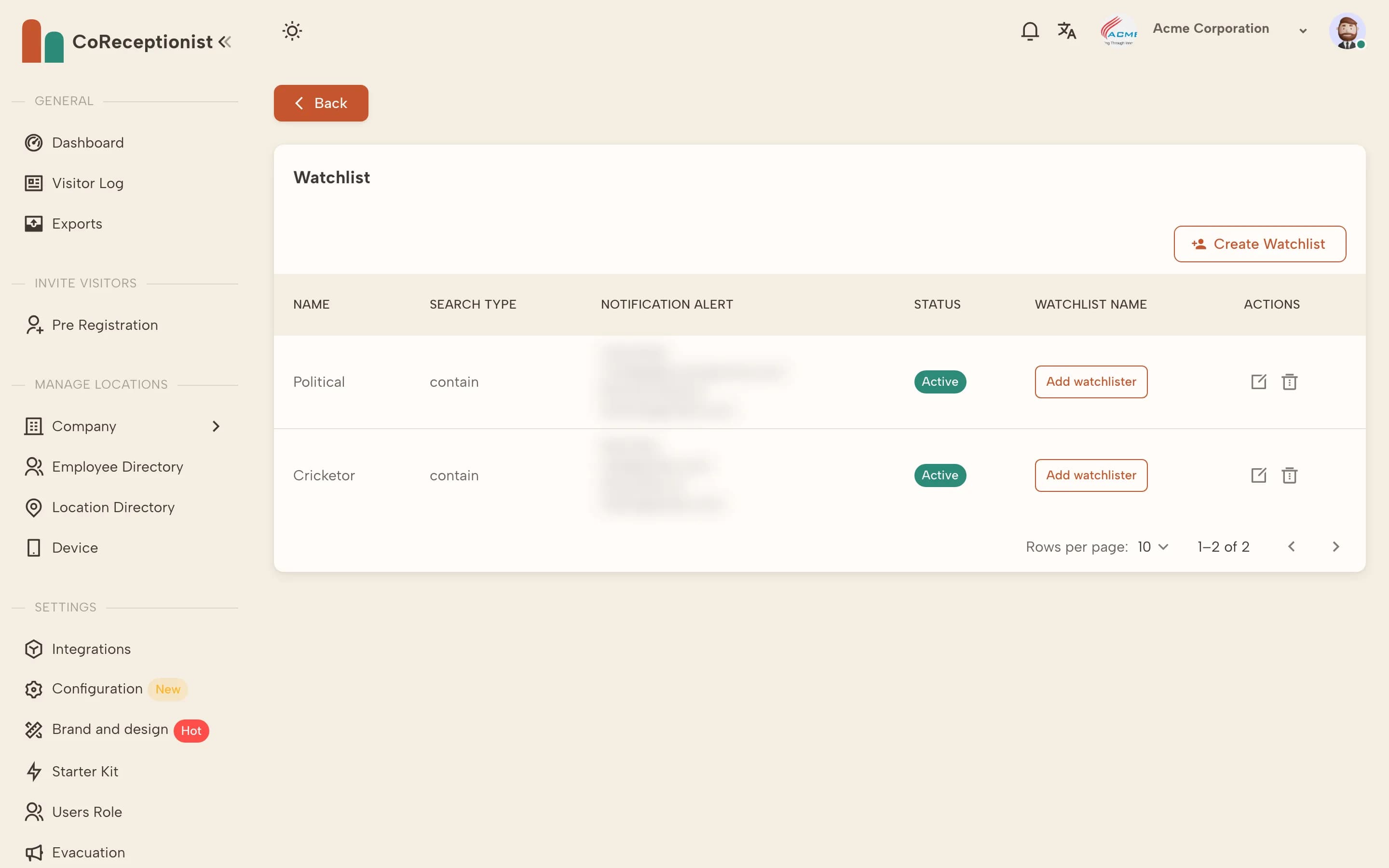
Add your own watchlistOpen Configuration → Watchlist → Create Watchlist. Enter the name, choose the search type (Exact, Contain or sound-alike matching), choose who is notified, and optionally ignore name order.
4
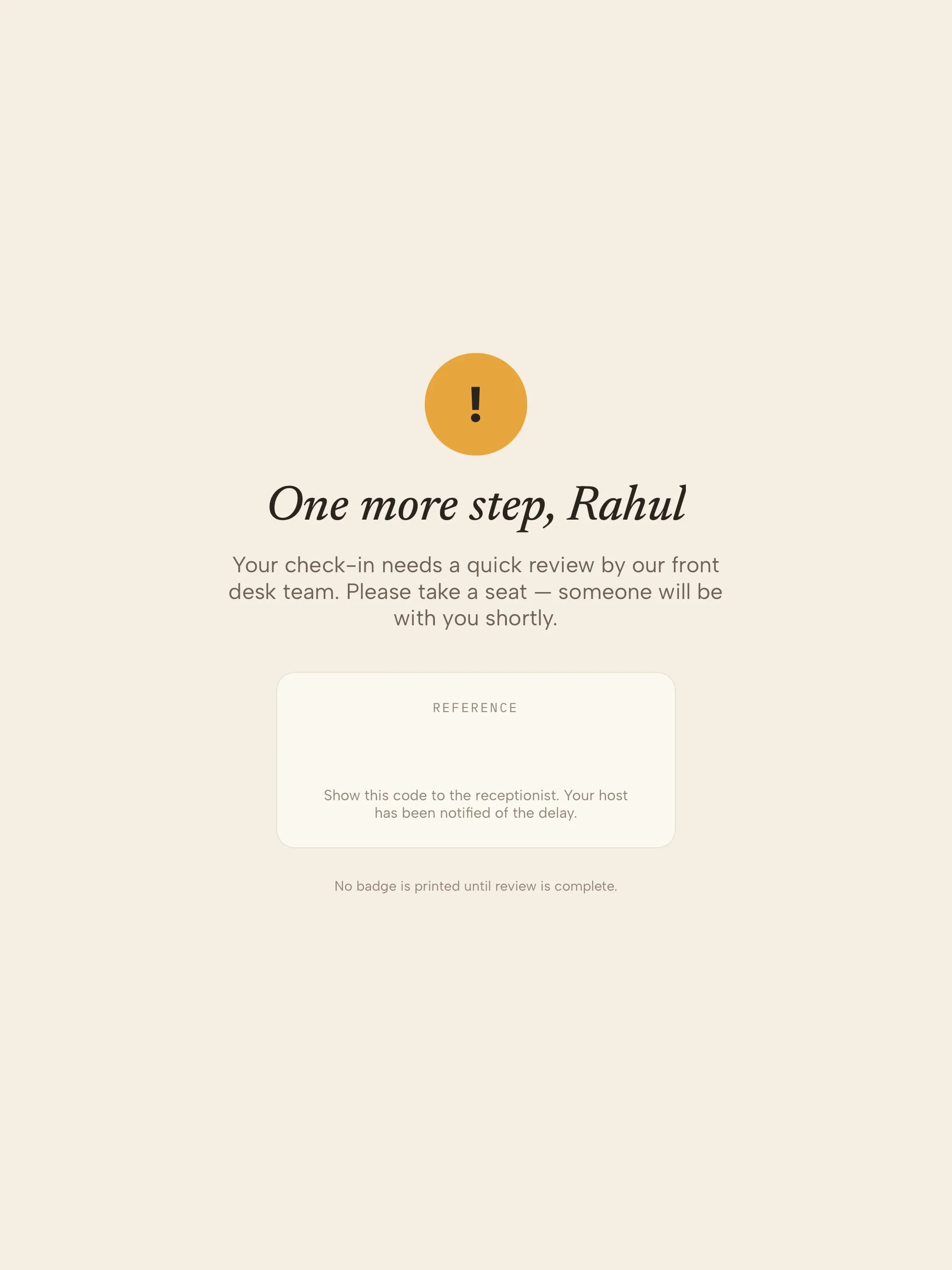
What happens on a matchThe visitor sees a polite "one more step" message and no badge prints. The match appears as a pending screening alert for your team to review.
TIPMatches left unreviewed are escalated and re-alerted, so a hold never sits unnoticed.