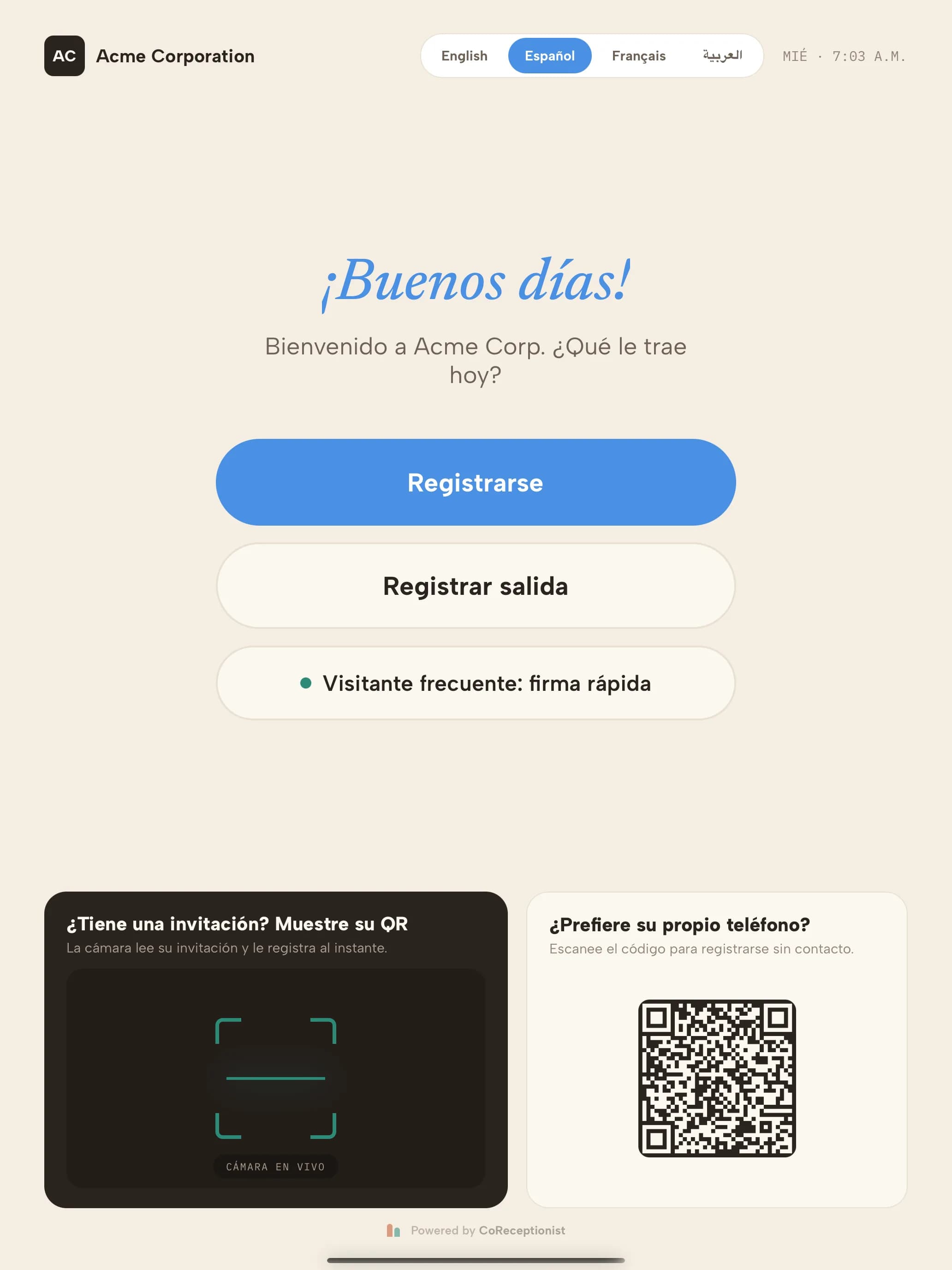
When your company offers more than one language, visitors choose theirs on the Welcome screen.
1
Pick a languageThe picker sits at the top right of the Welcome screen, next to the clock. Each language is shown in its own script — English, Español, Français, العربية.
2
The whole visit followsEvery step — visit reasons, questions, host search, photo, NDA and the finish screen — switches immediately, including your own text once it is translated.
3
Arabic reads right to leftIn Arabic the layout mirrors. Phone numbers, emails, visitor codes and keypads stay left to right so they read correctly, and numbers use 0–9.
4
Each visit starts freshWhen the visitor finishes, the kiosk returns to your default language for the next person.
5
What stays in your default languagePrinted badges, host notifications and anything not translated yet. Badges stay in one language so staff and security can read them at a glance.
TIPThe kiosk doesn’t use the iPad’s language setting — only the languages you turn on in the dashboard.